

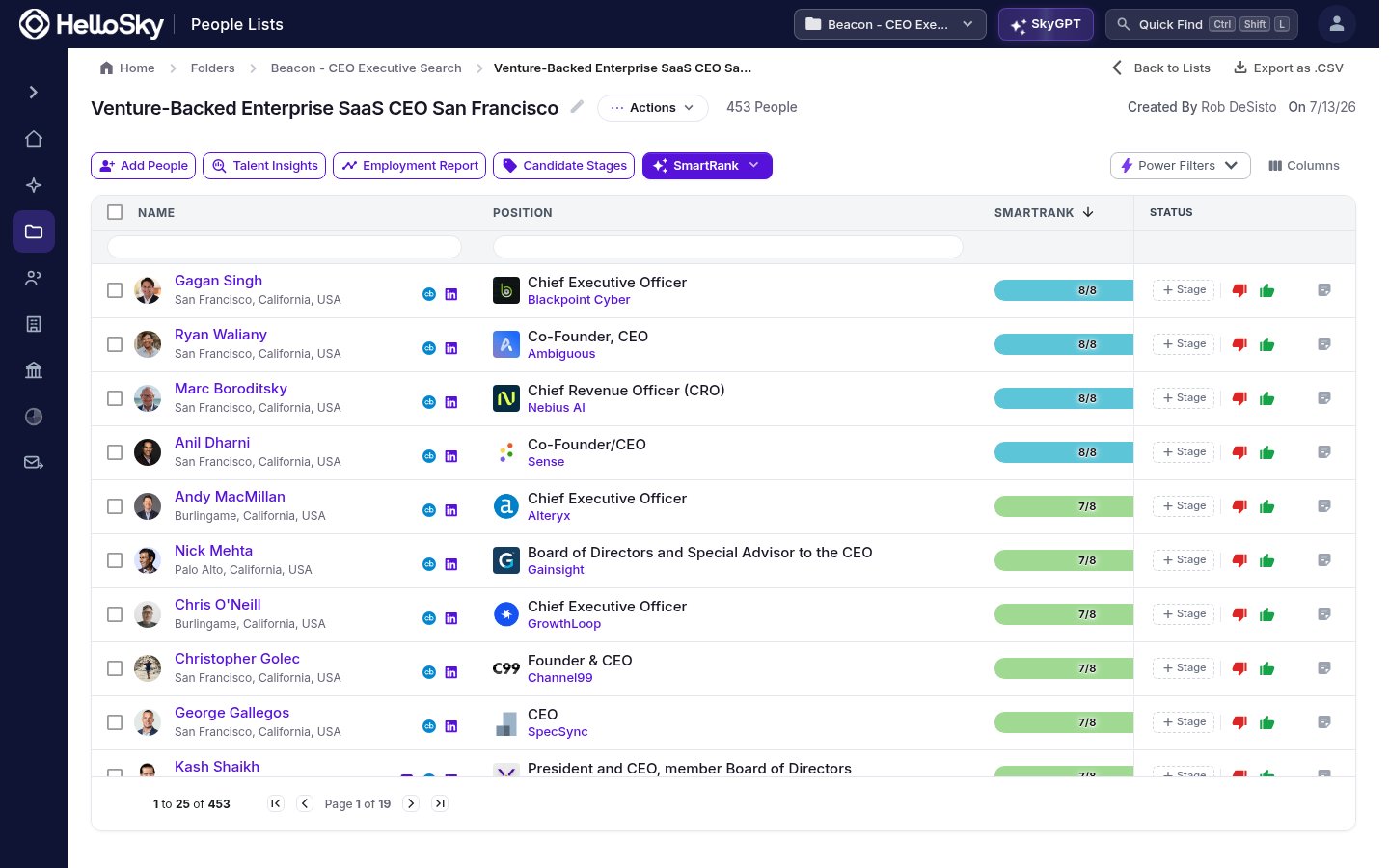
When ranking completes, the list gains a SmartRank column and sorts by it: each row shows how many of the criteria that person met, like 8/8 or 7/8.
A SmartRanked candidate list sorted by score, with a match bar per person

See why someone scored that way

Hover a score bar to see the criteria checklist for that person: which requirements they met and which they didn’t.
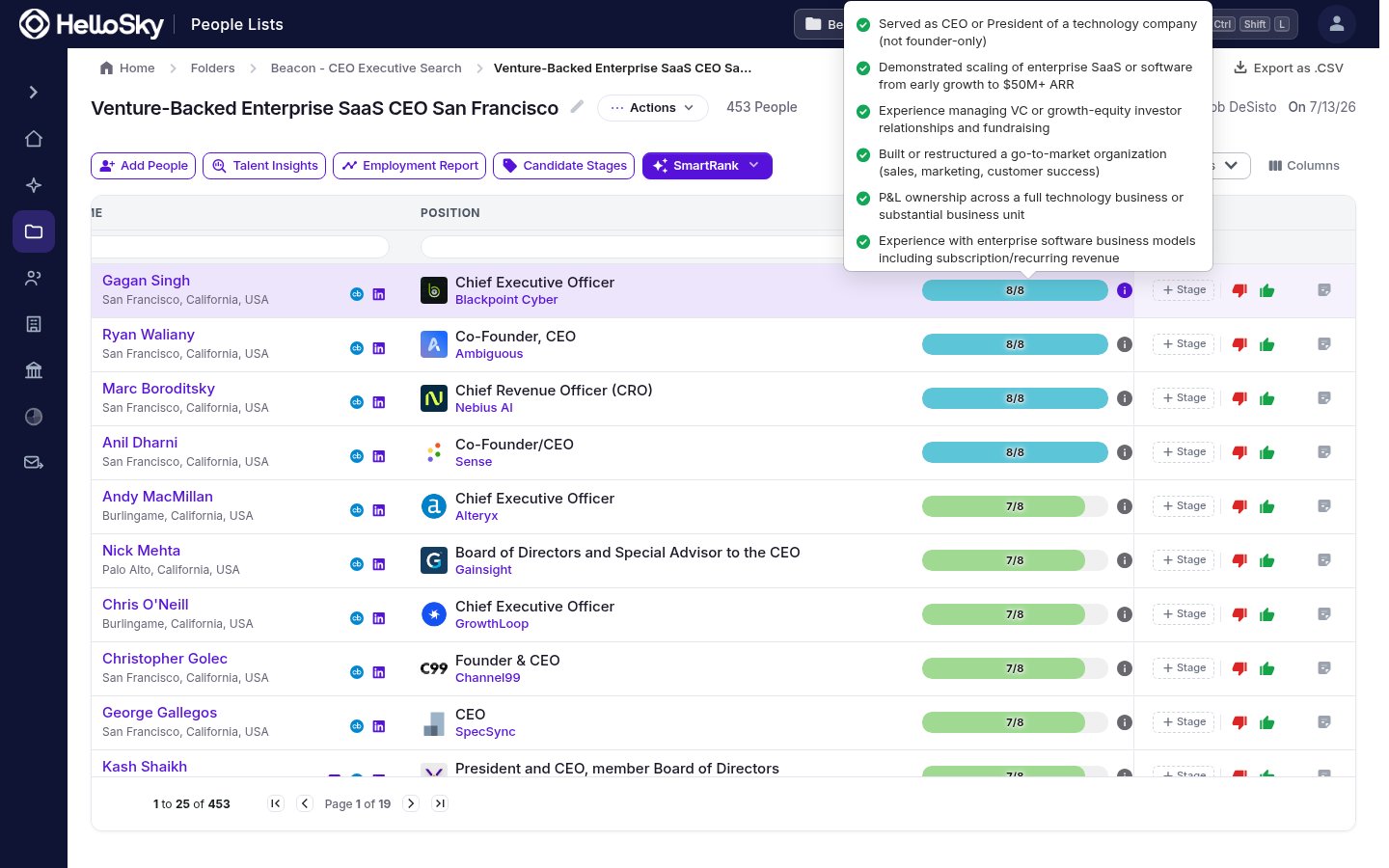
Hovering a SmartRank score shows which criteria the candidate met
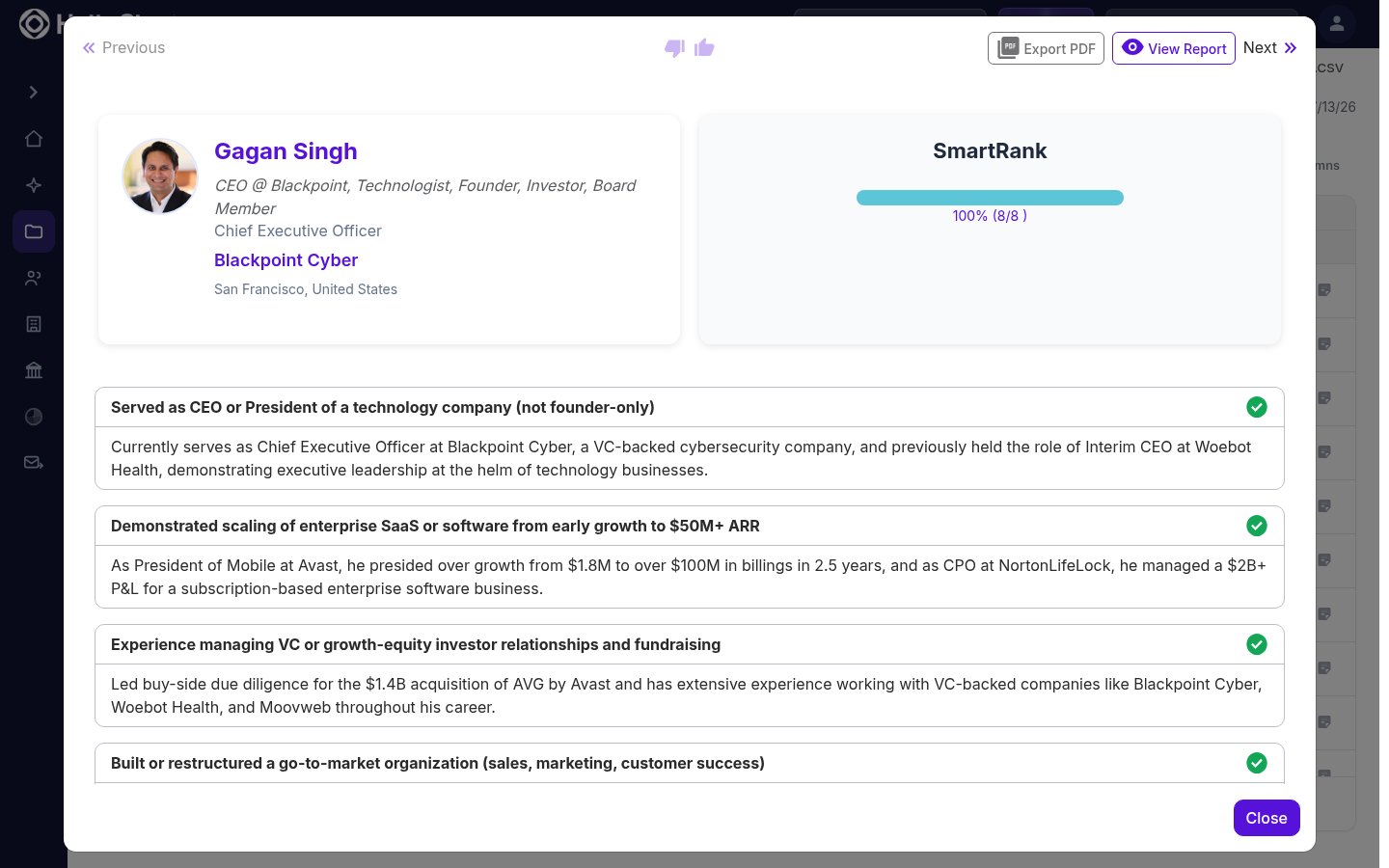
Click the info icon next to the score for the full SmartRank report: every criterion with a written justification citing the specific roles and outcomes behind the verdict. From the report you can page through candidates with Previous and Next, give a thumbs up or down, and Export PDF to share the assessment (exports pick up the report branding configured in your Settings).
A candidate's SmartRank report with per-criterion evidence

Filter by qualifications

After a run, Power Filters gains SmartRank options: filter the list to people matching specific criteria, or to people meeting at least a certain number of them (for example, 6+). That’s the fastest way to cut a 450-person list down to the dozen worth calling first.

Refine and re-run

The SmartRank button becomes a menu once a run exists:
  • Edit Criteria reopens the criteria list so you can adjust and re-rank against the refined set.
  • Start Over discards the criteria and begins fresh from a new job description.
When you add new people to an already-ranked list, HelloSky offers to rank just the newcomers against the same criteria, so the list stays comparable without a full re-run.