

Run a search
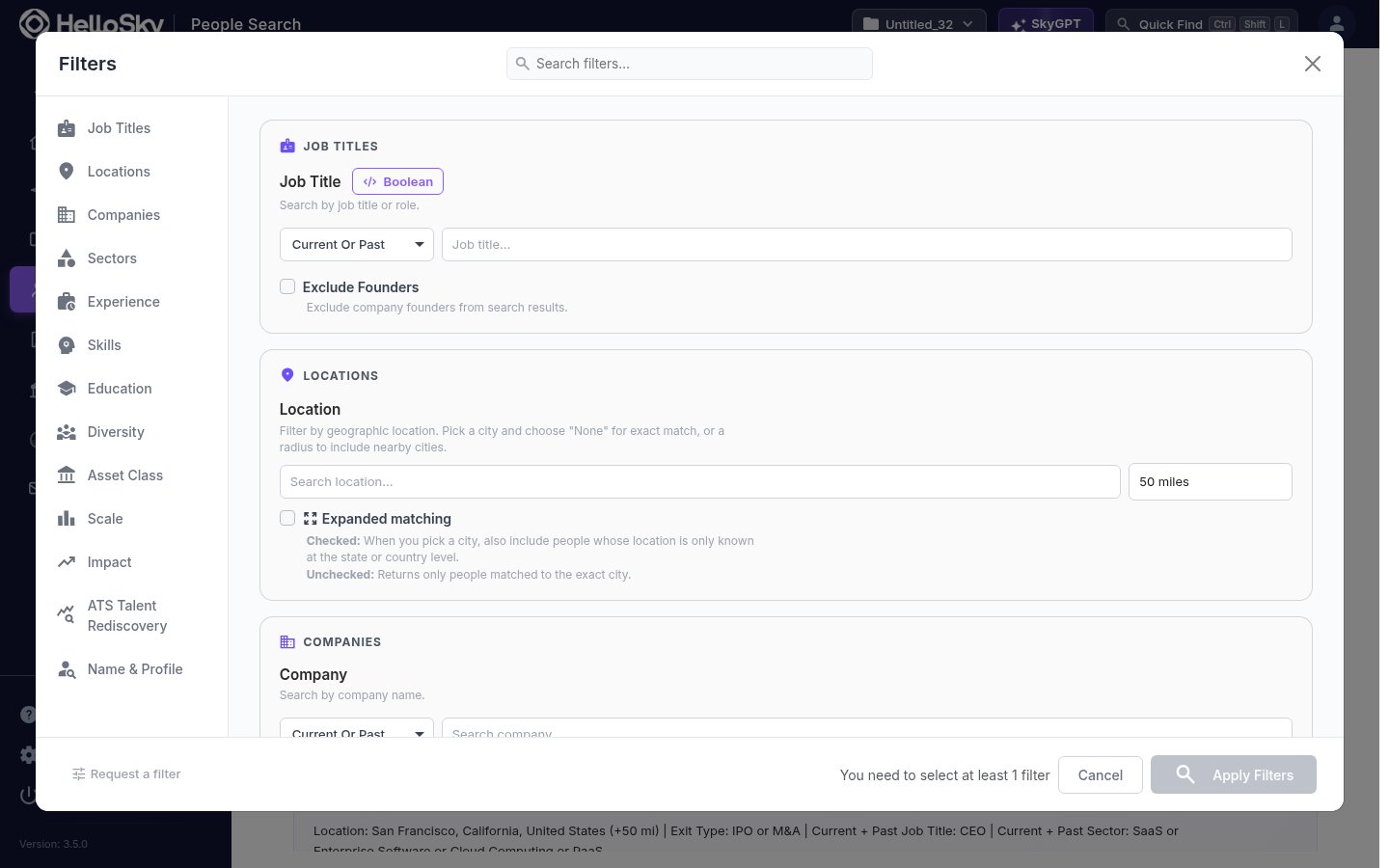
- In the left navigation, open Find People and click People Search. The filter panel opens automatically.
-
Add your criteria. Filters are grouped so you can combine who the person is with what they have done:
- Job Titles: search by title or role, current or past. Supports Boolean expressions, and you can exclude founders.
- Locations: pick a city and a radius (5 to 250 miles), or turn on Expanded matching to also include people whose location is only known at the state or country level.
- Companies: people who work, or used to work, at specific companies.
- Sectors: filter by the sectors a person has operated in.
- Experience, Skills, Education: years of experience, skills, degrees, and majors.
- Asset Class, Scale, Impact: PE or VC backing, company size ranges, and outcomes such as exits.
- Diversity, ATS Talent Rediscovery, Name & Profile: additional targeting, including keyword search across full profiles.
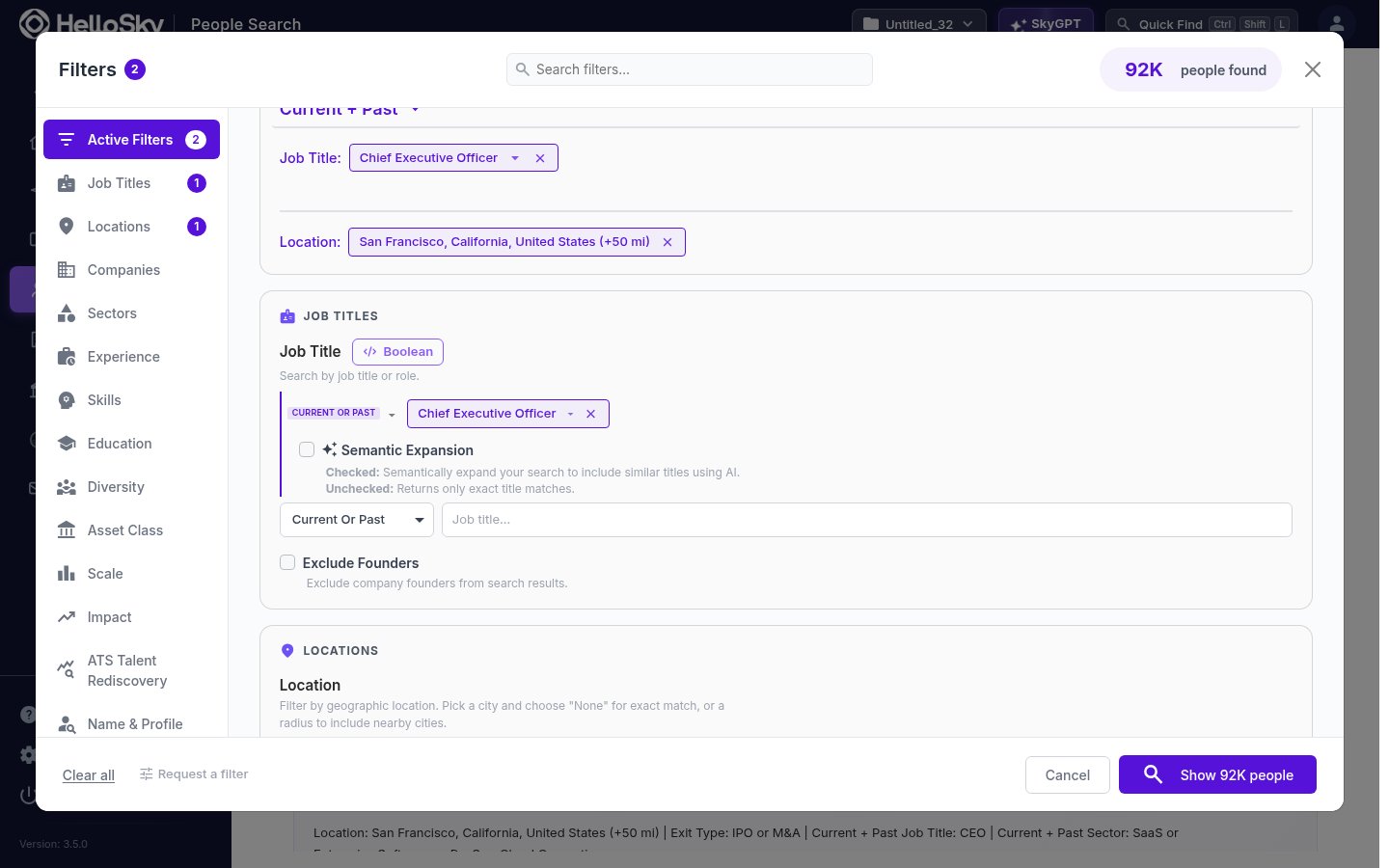
- As you add filters, the button at the bottom updates with a live count, for example Show 92K people. Click it to run the search.
Work with results
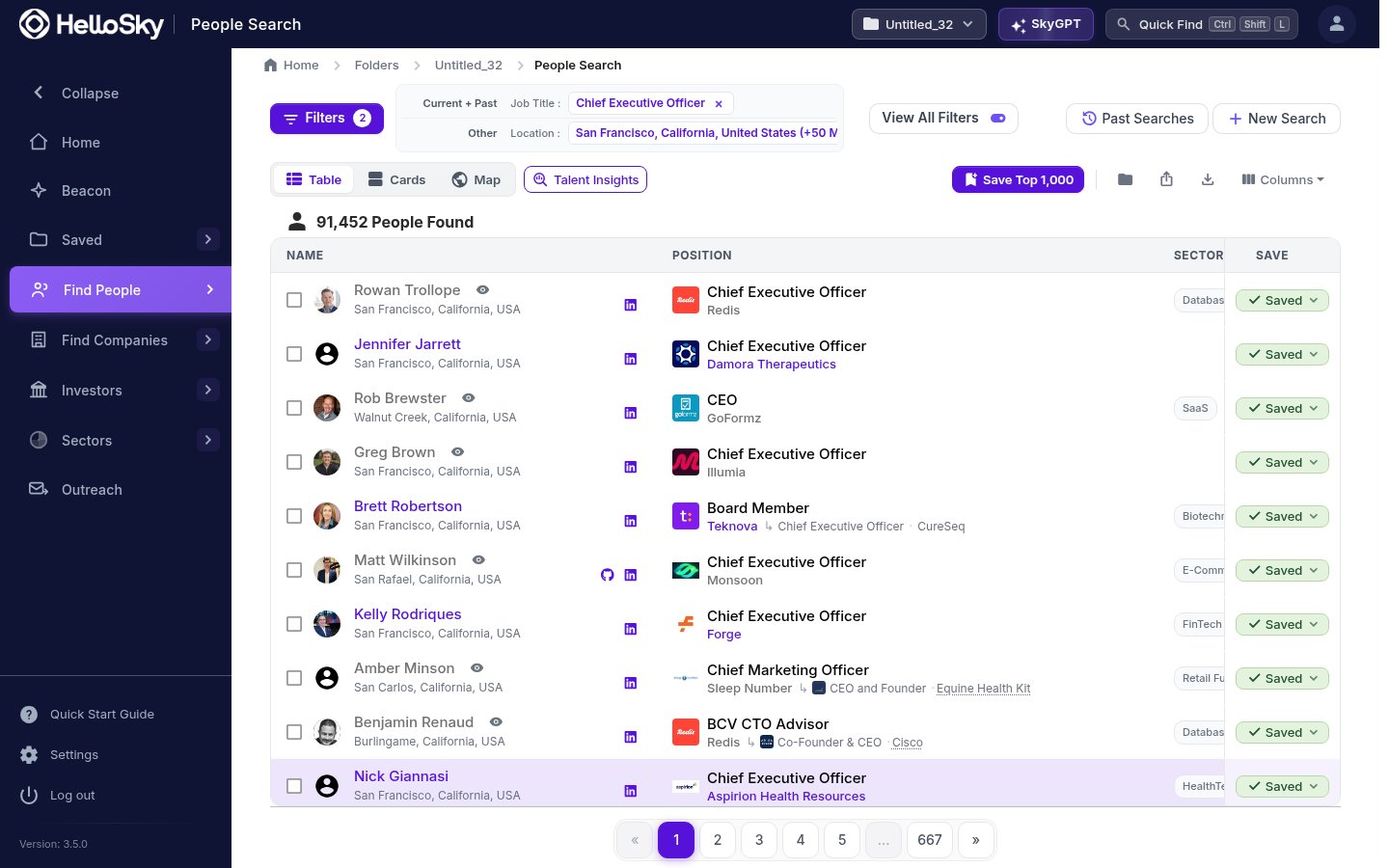
- Switch between Table, Cards, and Map views, or open Talent Insights for an aggregate view of the result set.
- Your active filters stay visible at the top. Click a chip to remove it, or View All Filters to edit everything at once.
- Click any row to open a quick profile preview. From the preview, click the person’s name (or the open icon next to it) to go to the full profile.
- Use Save Top 1,000 to save the best matches into your active folder, or select individual rows and save them to a people list.
- The Columns menu lets you add or hide table columns, and the export icon downloads your results.
Past searches are saved automatically. Click Past Searches on any results page to re-run or tweak an earlier search.