Outreach is rolling out gradually. If you don’t see the options described here, contact support to have it enabled for your team.
Connect your mailbox
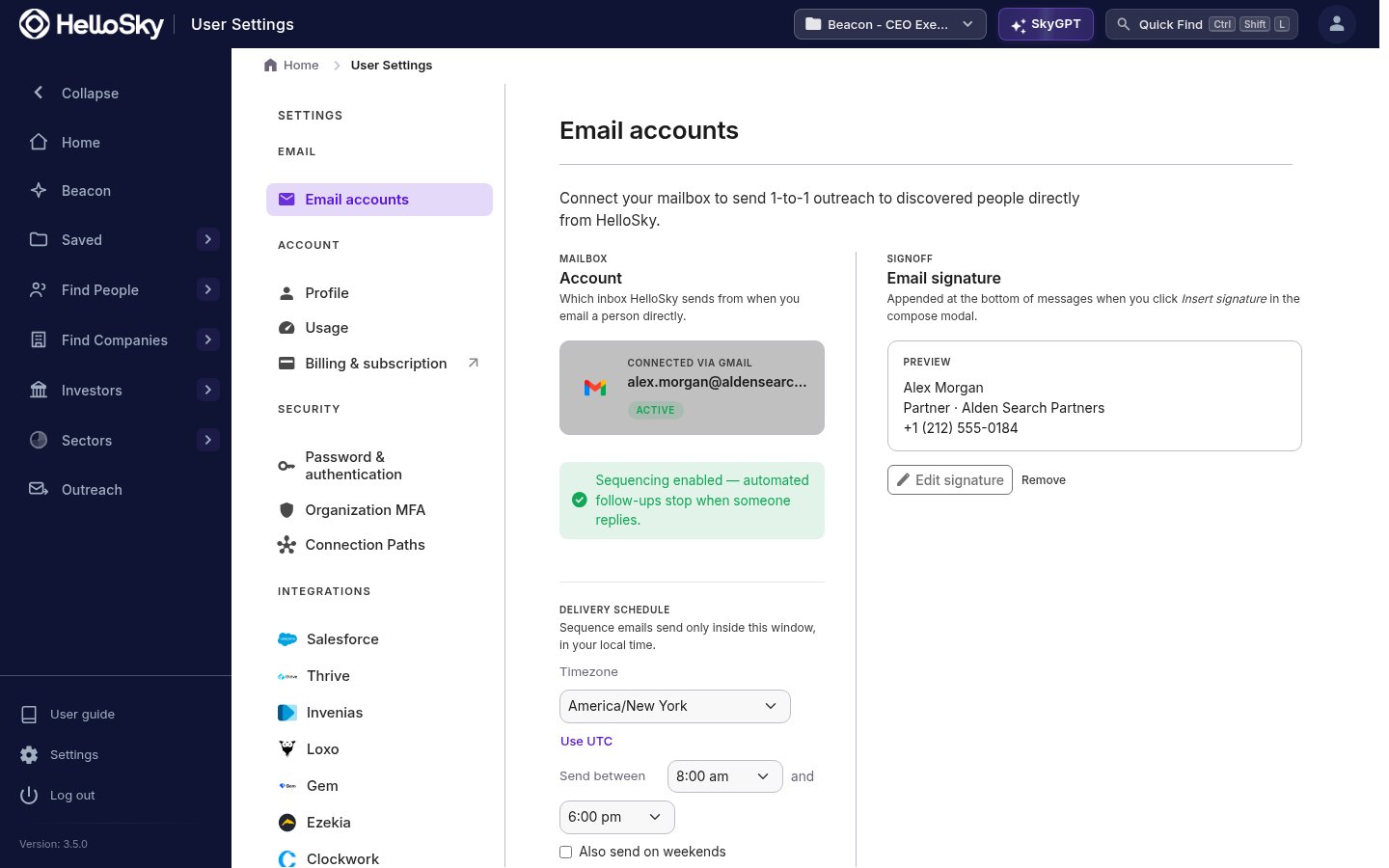
- Go to Settings. When email is enabled for your account, Email accounts is the first section.
- Click Connect, choose Google or Microsoft, and sign in to the mailbox you send from.
- Approve the requested permissions. You’ll be returned to HelloSky with your address shown as connected.
Send an email from a profile
On a person’s profile, click Email in the action bar at the top of the page. This opens the composer: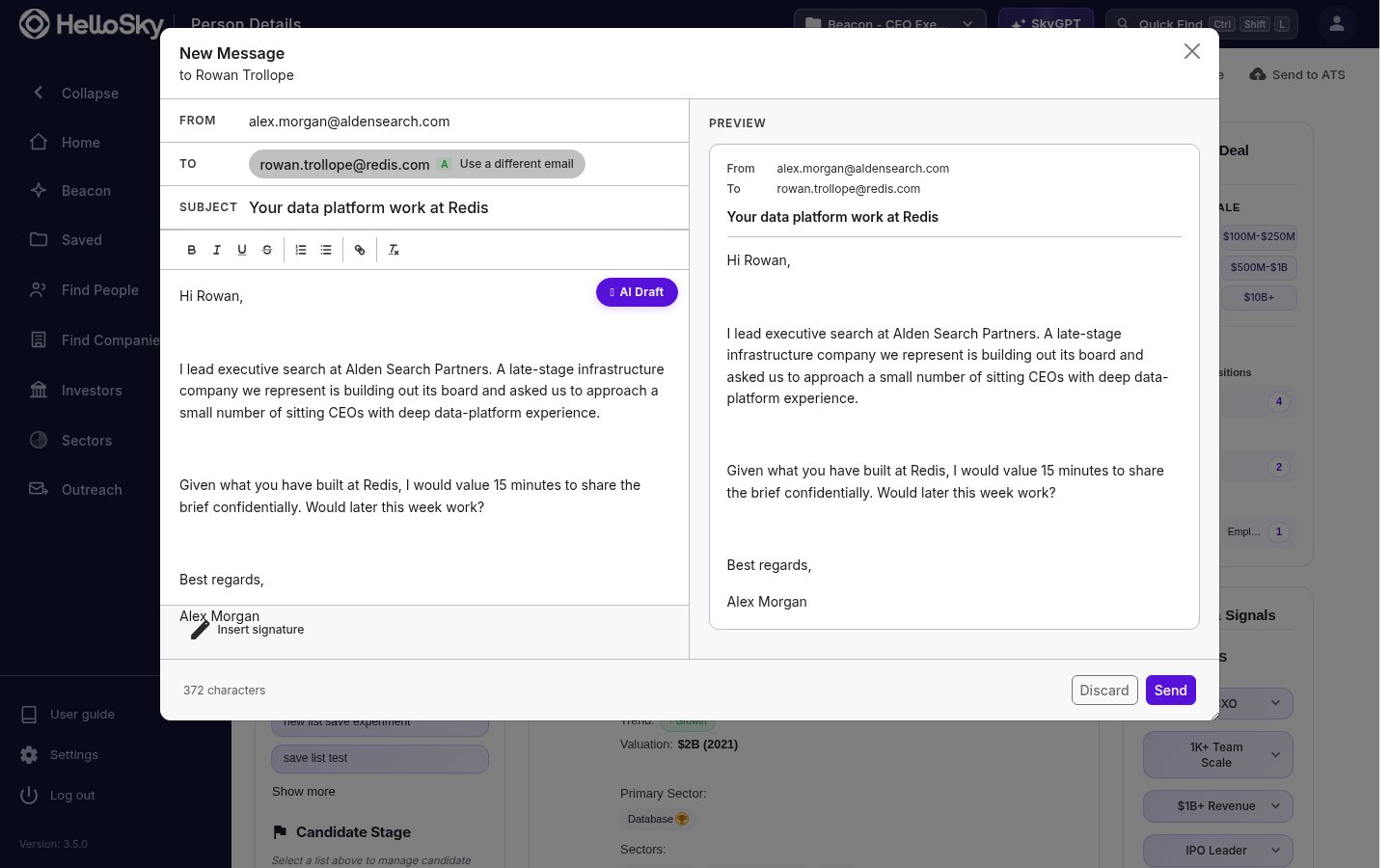
- The To address is pre-filled with the best-graded email we have on file for that person, with the grade shown next to it. You can switch with Use a different email, and if we have nothing on file you can run a lookup or type an address manually.
- Write the subject and body yourself in the rich-text editor, or click the AI Draft pill: describe what the email should say, pick a tone (Concise, Elaborate, Formal, or Friendly), and edit the generated draft before sending.
- The Preview panel shows exactly what the recipient will receive as you write.
See what you’ve sent
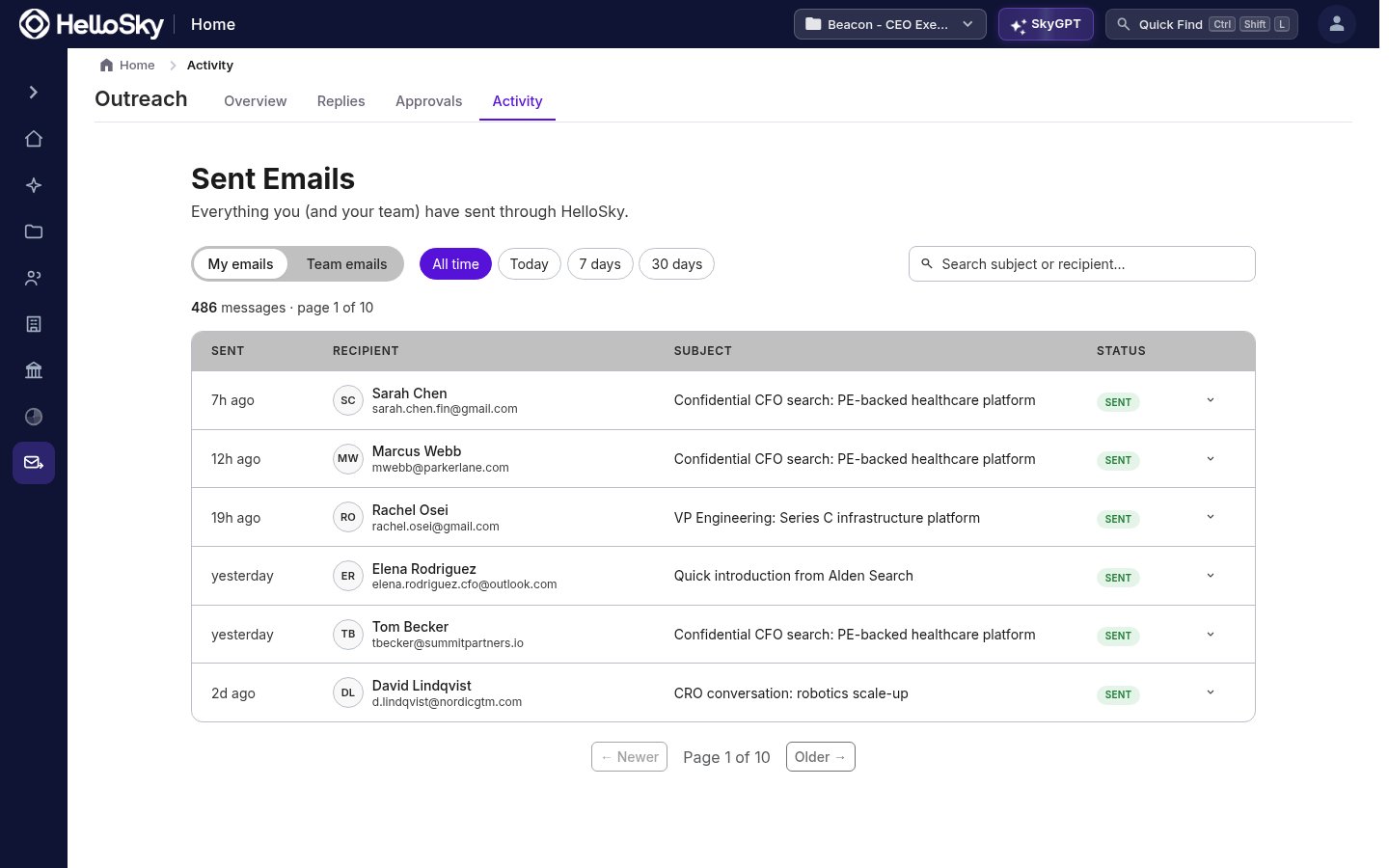
Outreach → Activity lists every email sent through HelloSky, one-off and sequence sends alike, with a status per message. Toggle between My emails and Team emails, and filter by time range or search by subject and recipient.