

Create a sequence
On Outreach → Overview, click New sequence and choose how to start:- Generate with AI: describe the role (or paste a job description or posting URL), and get a complete, editable sequence.
- Write it myself: start from a blank editor.
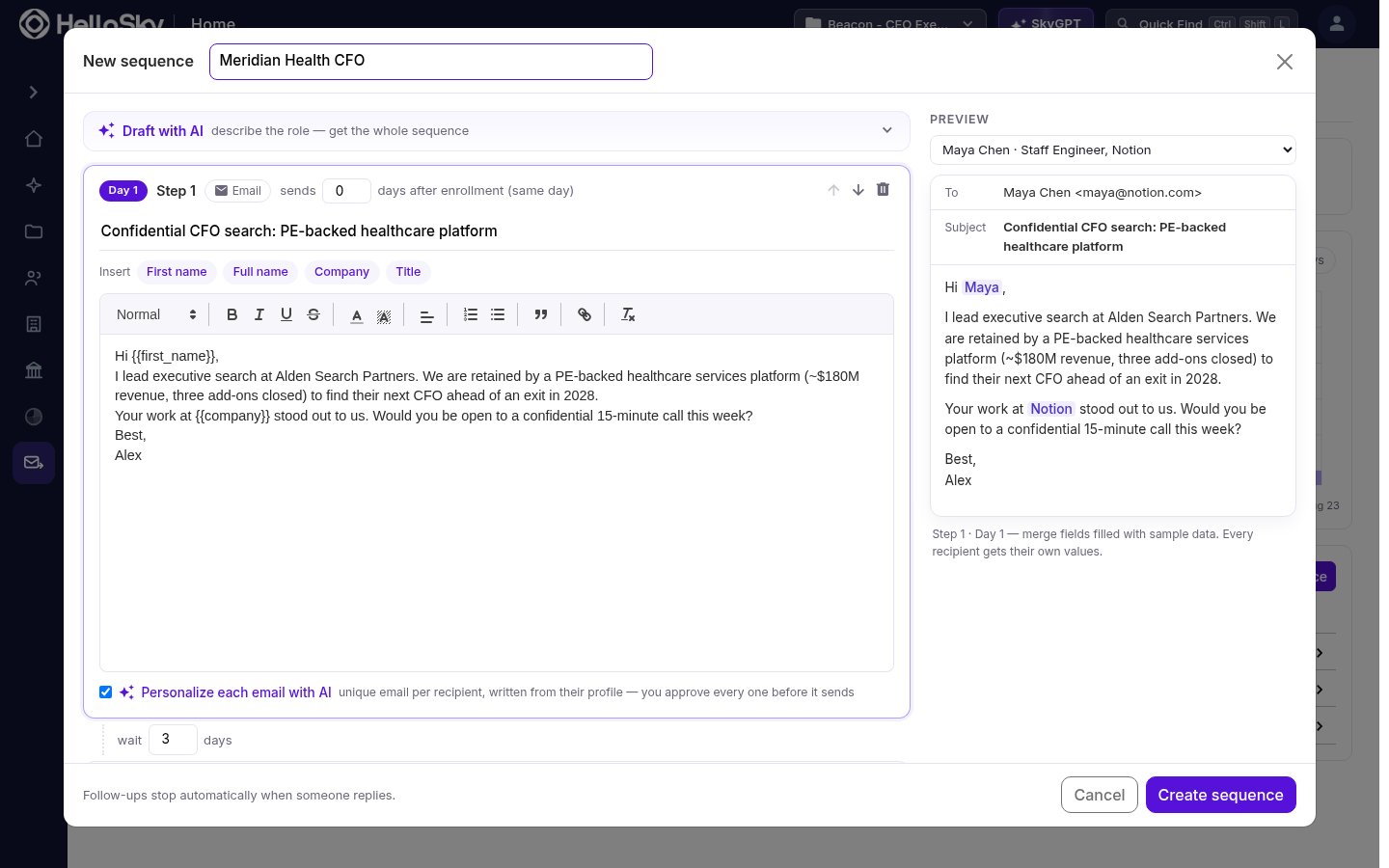
- Each step has a subject, a body, and a delay in days after the previous step. Follow-up steps are delivered as replies in the same thread as the opener.
- Use the Insert chips to drop in merge fields:
First name,Full name,Company, andTitlefill in per recipient at send time. The Preview panel shows the result with sample data. - Check Personalize each email with AI on a step to have HelloSky write a unique email per recipient from their profile; you approve every one before it sends (see Guardrails & approvals).
Enroll people
The fastest path is from a saved people list:- Open the list and select the people you want to contact.
- In the bulk actions bar, click Add to sequence and pick the sequence.
Track and manage enrollments
Open a sequence to see its Enrollments: every person in it, which step they’re on, their status, and when their next email goes out.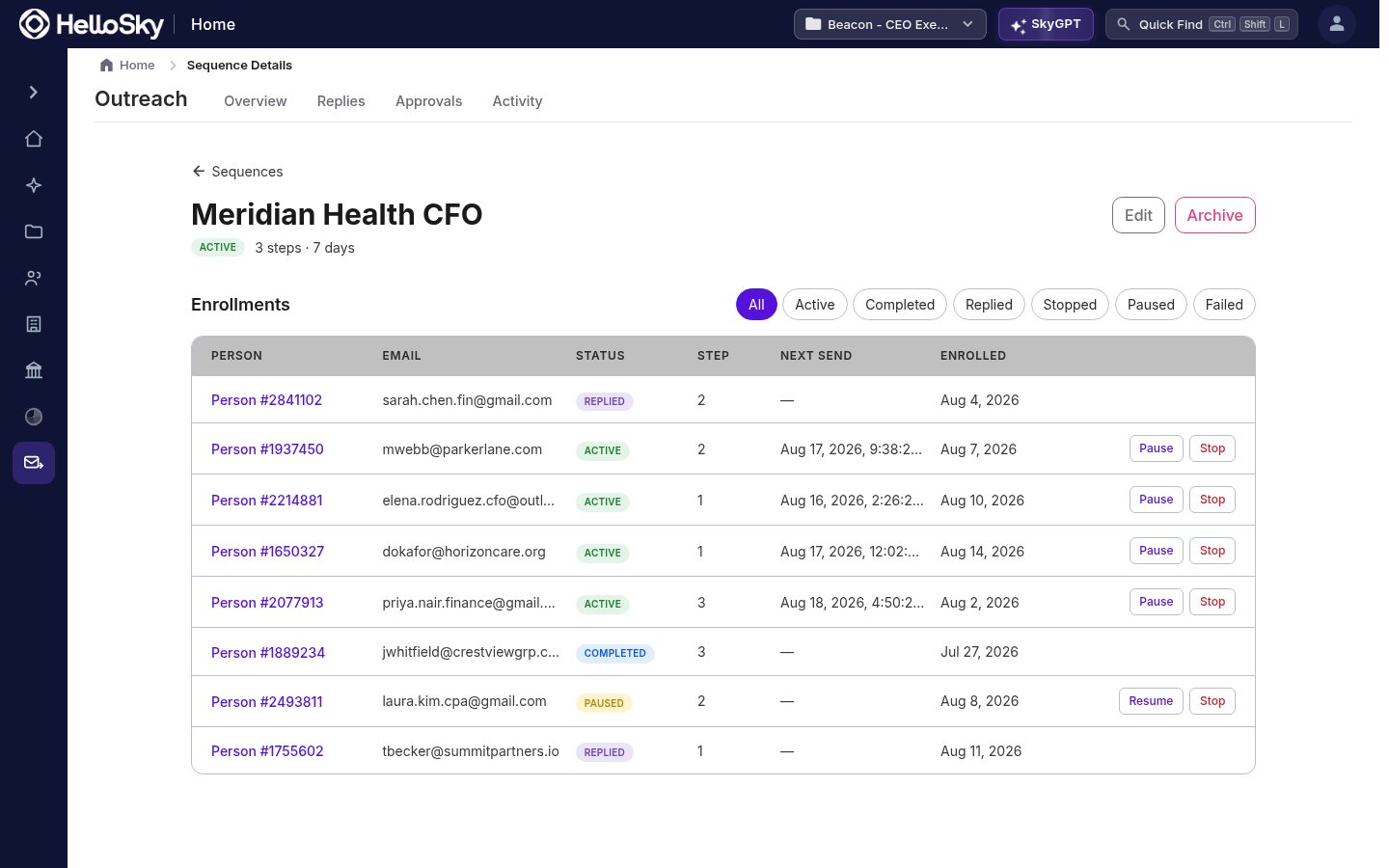
You can pause, resume, or stop individual people without touching the rest of the sequence, and filter by status to focus on what needs attention.
Reply detection is automatic. The moment someone writes back, their remaining follow-ups are cancelled, so there’s no risk of an automated “just bumping this” landing after a real conversation has started.