

Save from search results
- Run any search.
- In the Save column, click the save button on a row. A panel opens showing your existing lists.
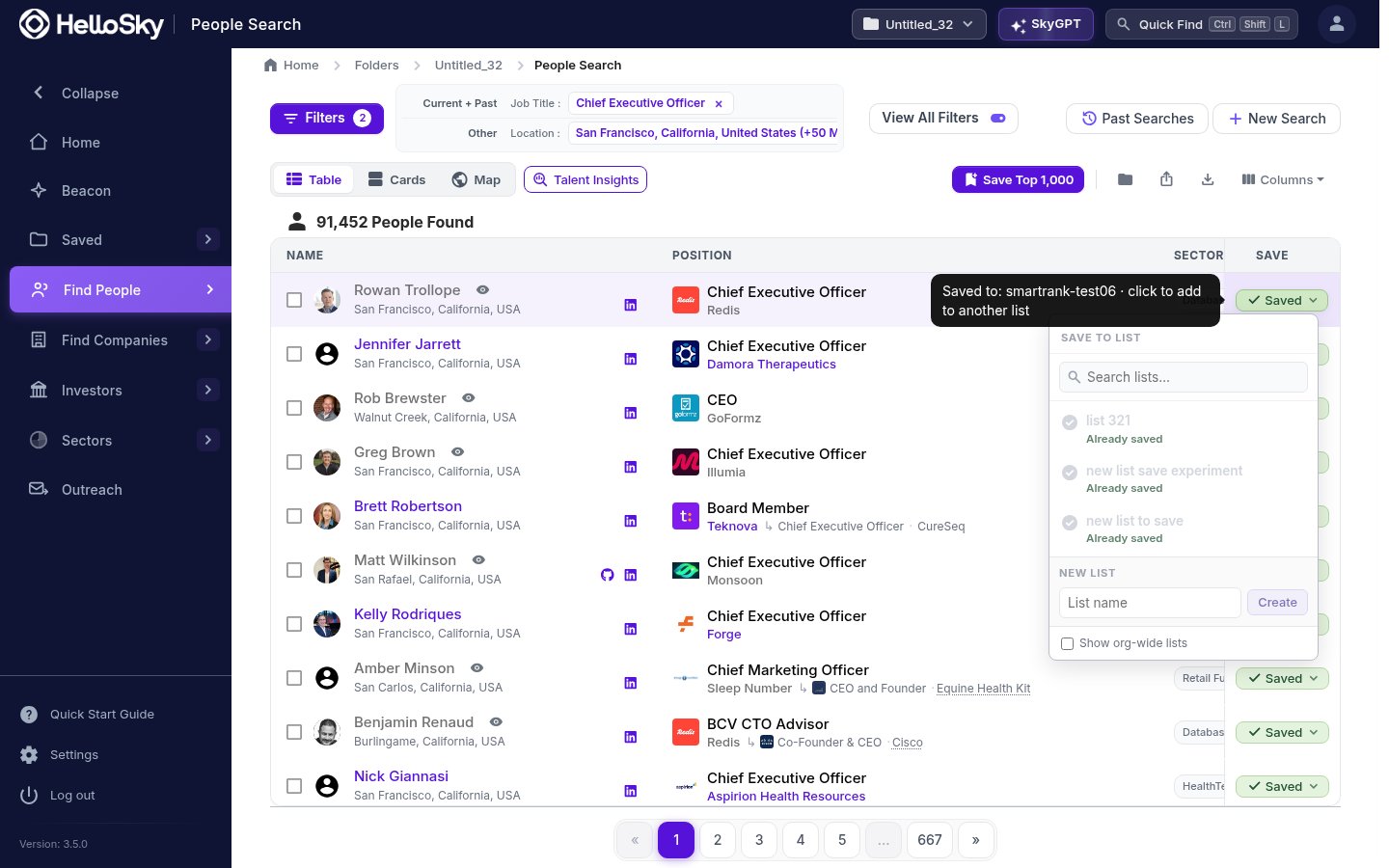
- Pick an existing list, or type a name under New list and click Create to make one on the spot. The person is added immediately.
Save from a profile
Every person and company profile has a Save button in its header and next to the photo. It opens the same list picker.Add people directly to a list
From a list page, click Add People to reopen a people search preloaded with the filters that built the list; adjust them and save more people in. To bulk-import an existing spreadsheet of names, use Actions, then Add People from CSV.Searches and saves happen inside your active folder, shown in the top bar. Keep one folder per project or engagement, and everything you save stays organized by client.