> ## Documentation Index
> Fetch the complete documentation index at: https://docs.hellosky.ai/llms.txt
> Use this file to discover all available pages before exploring further.
# Tracking a list
> Start tracking in two clicks, understand what happens in the first minutes, and stop when you are done.
## Start from the Talent Tracking page
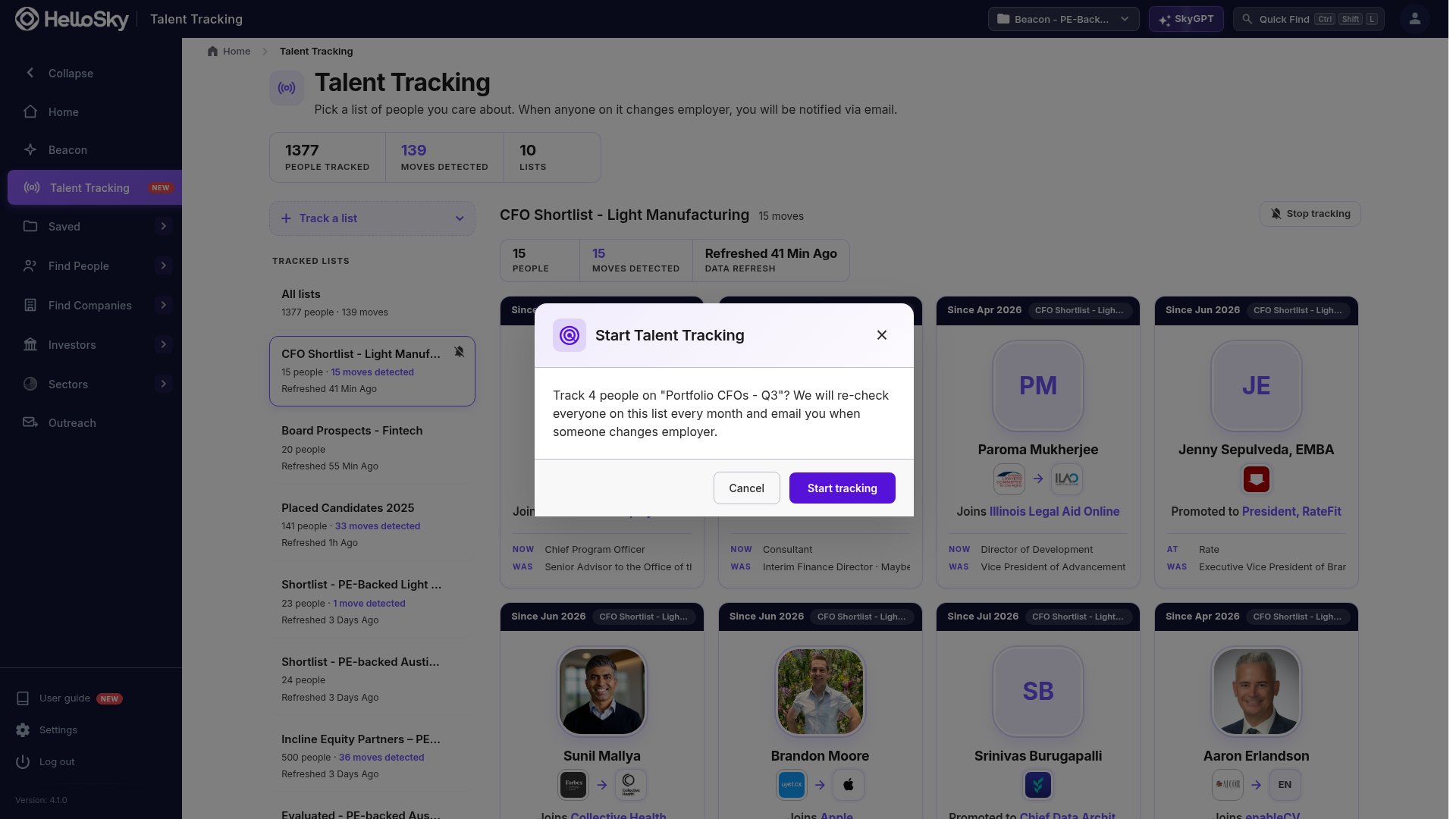
1. Open **Talent Tracking** in the left navigation.
2. Click **Track a list** and choose a people list. Lists over the size limit are shown greyed out.
3. Confirm. HelloSky tells you how many people it is about to track.
 ## Start from a people list
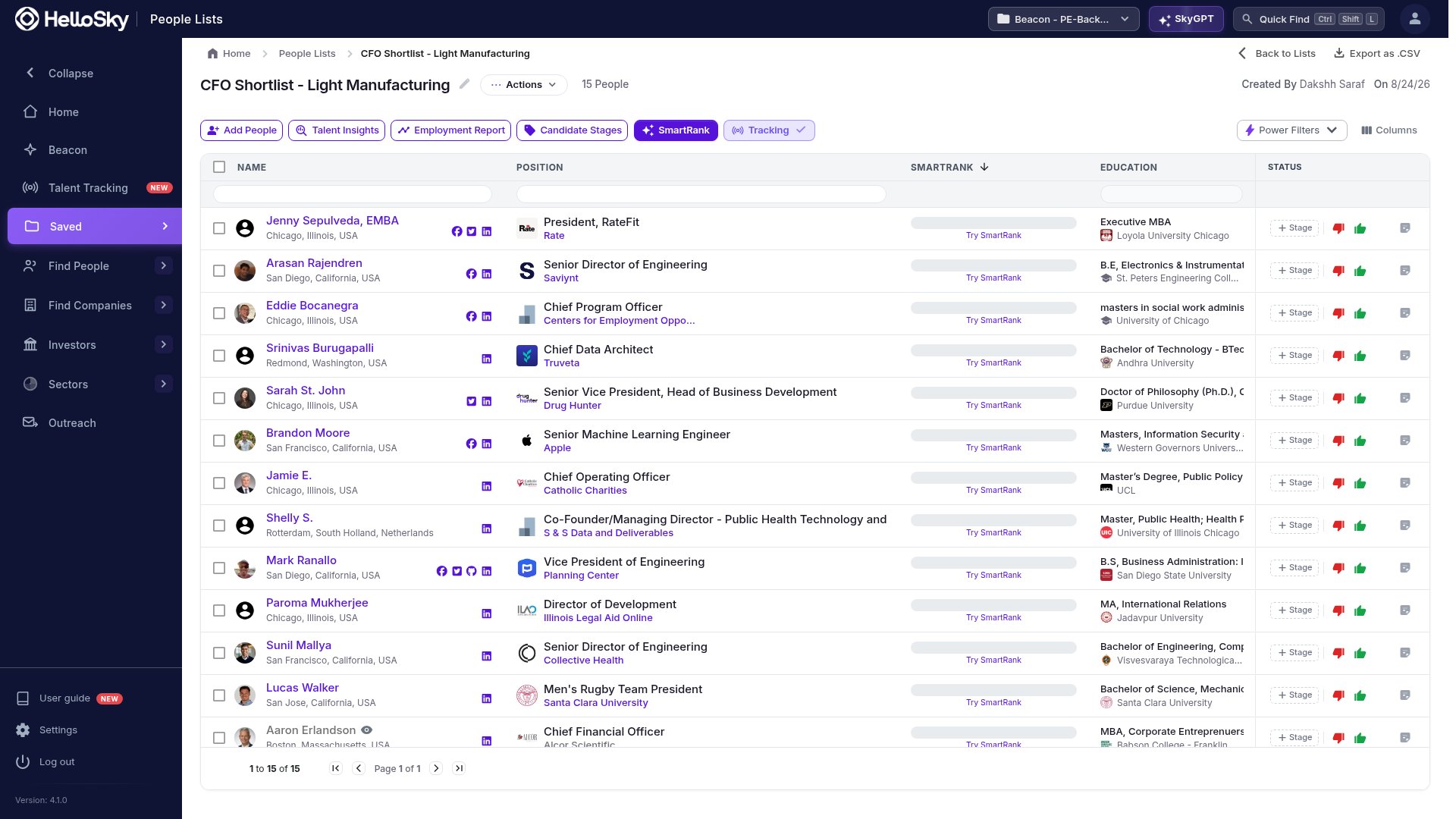
Open any people list and click **Talent Tracking** in the toolbar, next to SmartRank. Once the list is tracked the button reads **Tracking** and opens the tracking view for that list.
## Start from a people list
Open any people list and click **Talent Tracking** in the toolbar, next to SmartRank. Once the list is tracked the button reads **Tracking** and opens the tracking view for that list.
 ## What happens in the first few minutes
The moment you confirm, three things happen:
1. **A look back over the last six months.** Anyone on the list whose current role started in the last six months appears as a card straight away, with the role they had before. You do not have to wait a month to see the first moves.
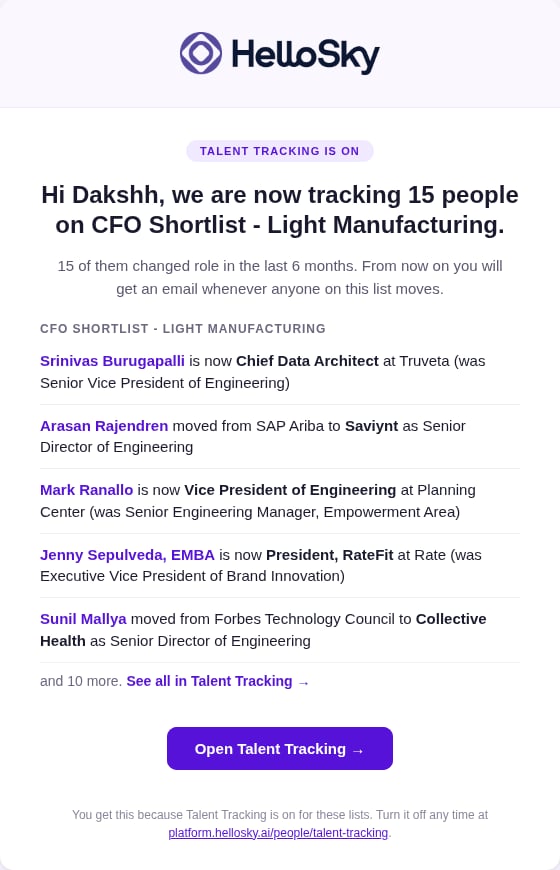
2. **A welcome email.** If the look-back found anything, you get one email summarizing it within a minute.
3. **A fresh check of everyone.** HelloSky re-checks every person on the list against their public profile. While that runs the list shows **Refreshing**, and the people table shows **Checking** on each row. It usually takes a few minutes.
## What happens in the first few minutes
The moment you confirm, three things happen:
1. **A look back over the last six months.** Anyone on the list whose current role started in the last six months appears as a card straight away, with the role they had before. You do not have to wait a month to see the first moves.
2. **A welcome email.** If the look-back found anything, you get one email summarizing it within a minute.
3. **A fresh check of everyone.** HelloSky re-checks every person on the list against their public profile. While that runs the list shows **Refreshing**, and the people table shows **Checking** on each row. It usually takes a few minutes.
 ## Limits
* A tracked list can hold up to **5,000 people**. For a larger group, split it into lists by role, region, or engagement; the alerts are grouped by list, so smaller lists are easier to read anyway.
* Tracking is personal. If a teammate wants alerts for the same list, they track it too.
## Stop tracking
Select the list in Talent Tracking and click **Stop tracking** at the top right, or use the bell icon on the list card. You will be asked to confirm. Stopping ends the checks and the emails; the moves already found stay in your history, and you can start again at any time without losing them.
## Limits
* A tracked list can hold up to **5,000 people**. For a larger group, split it into lists by role, region, or engagement; the alerts are grouped by list, so smaller lists are easier to read anyway.
* Tracking is personal. If a teammate wants alerts for the same list, they track it too.
## Stop tracking
Select the list in Talent Tracking and click **Stop tracking** at the top right, or use the bell icon on the list card. You will be asked to confirm. Stopping ends the checks and the emails; the moves already found stay in your history, and you can start again at any time without losing them.