> ## Documentation Index
> Fetch the complete documentation index at: https://docs.hellosky.ai/llms.txt
> Use this file to discover all available pages before exploring further.
# People search
> Filter millions of executive profiles by title, location, sector, experience, and more.
People Search is where most HelloSky work starts: describe who you are looking for with precise filters, then review, refine, and save the results.
## Run a search
1. In the left navigation, open **Find People** and click **People Search**. The filter panel opens automatically.
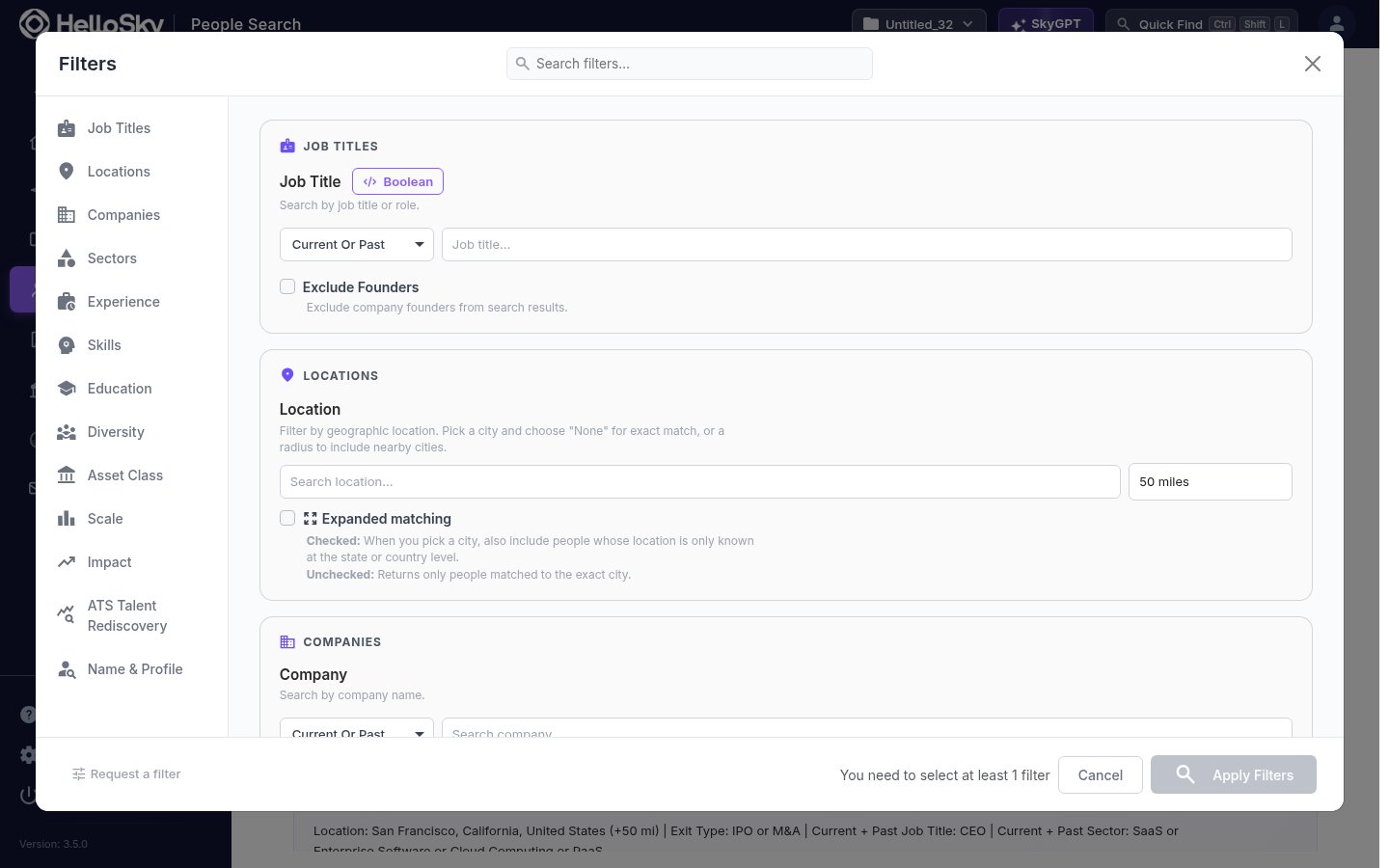 2. Add your criteria. Filters are grouped so you can combine who the person is with what they have done:
* **Job Titles**: search by title or role, current or past. Supports Boolean expressions, and you can exclude founders.
* **Locations**: pick a city and a radius (5 to 250 miles), or turn on **Expanded matching** to also include people whose location is only known at the state or country level.
* **Companies**: people who work, or used to work, at specific companies.
* **Sectors**: filter by the sectors a person has operated in.
* **Experience, Skills, Education**: years of experience, skills, degrees, and majors.
* **Asset Class, Scale, Impact**: PE or VC backing, company size ranges, and outcomes such as exits.
* **Diversity, ATS Talent Rediscovery, Name & Profile**: additional targeting, including keyword search across full profiles.
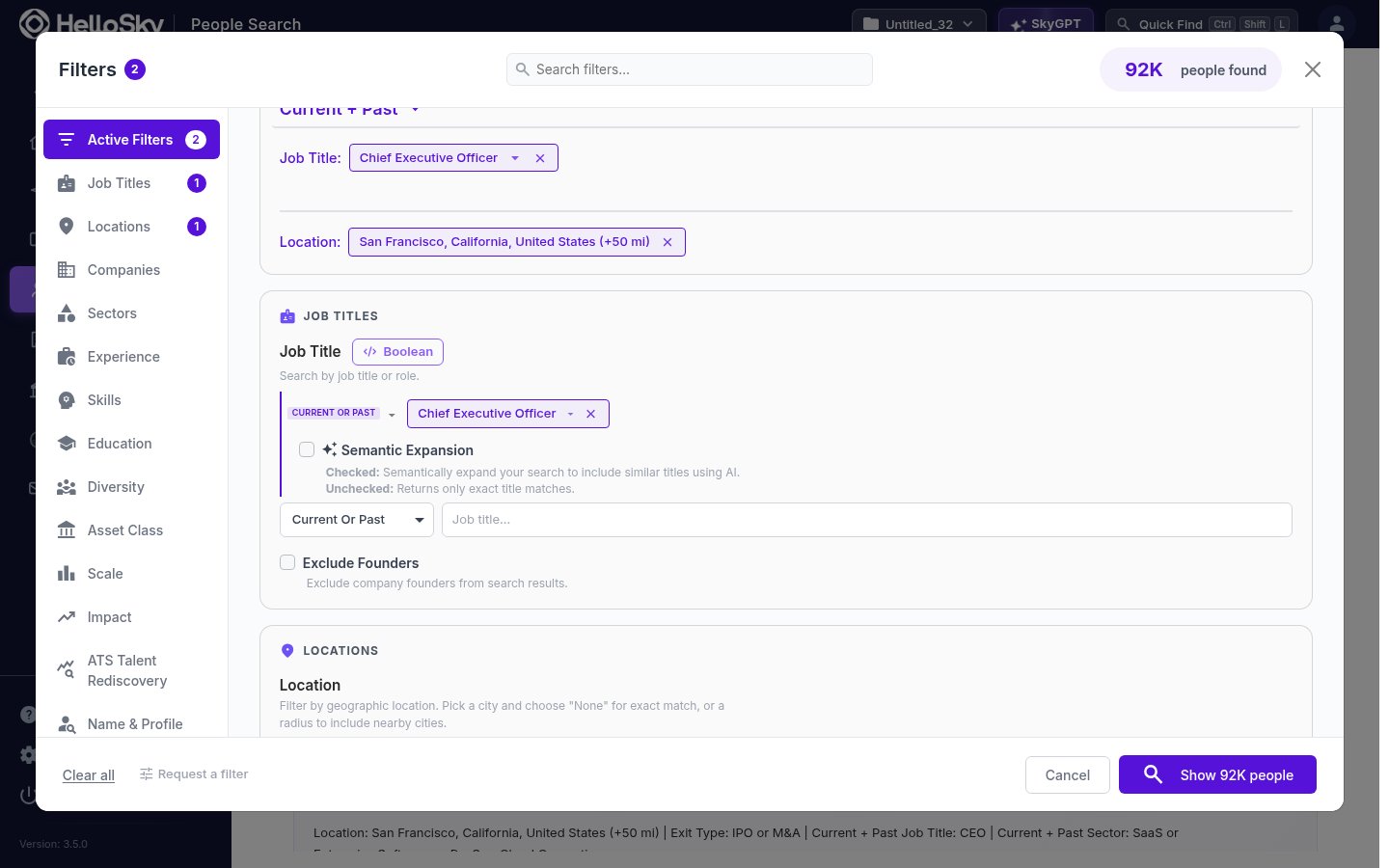
3. As you add filters, the button at the bottom updates with a live count, for example **Show 92K people**. Click it to run the search.
2. Add your criteria. Filters are grouped so you can combine who the person is with what they have done:
* **Job Titles**: search by title or role, current or past. Supports Boolean expressions, and you can exclude founders.
* **Locations**: pick a city and a radius (5 to 250 miles), or turn on **Expanded matching** to also include people whose location is only known at the state or country level.
* **Companies**: people who work, or used to work, at specific companies.
* **Sectors**: filter by the sectors a person has operated in.
* **Experience, Skills, Education**: years of experience, skills, degrees, and majors.
* **Asset Class, Scale, Impact**: PE or VC backing, company size ranges, and outcomes such as exits.
* **Diversity, ATS Talent Rediscovery, Name & Profile**: additional targeting, including keyword search across full profiles.
3. As you add filters, the button at the bottom updates with a live count, for example **Show 92K people**. Click it to run the search.
 ## Work with results
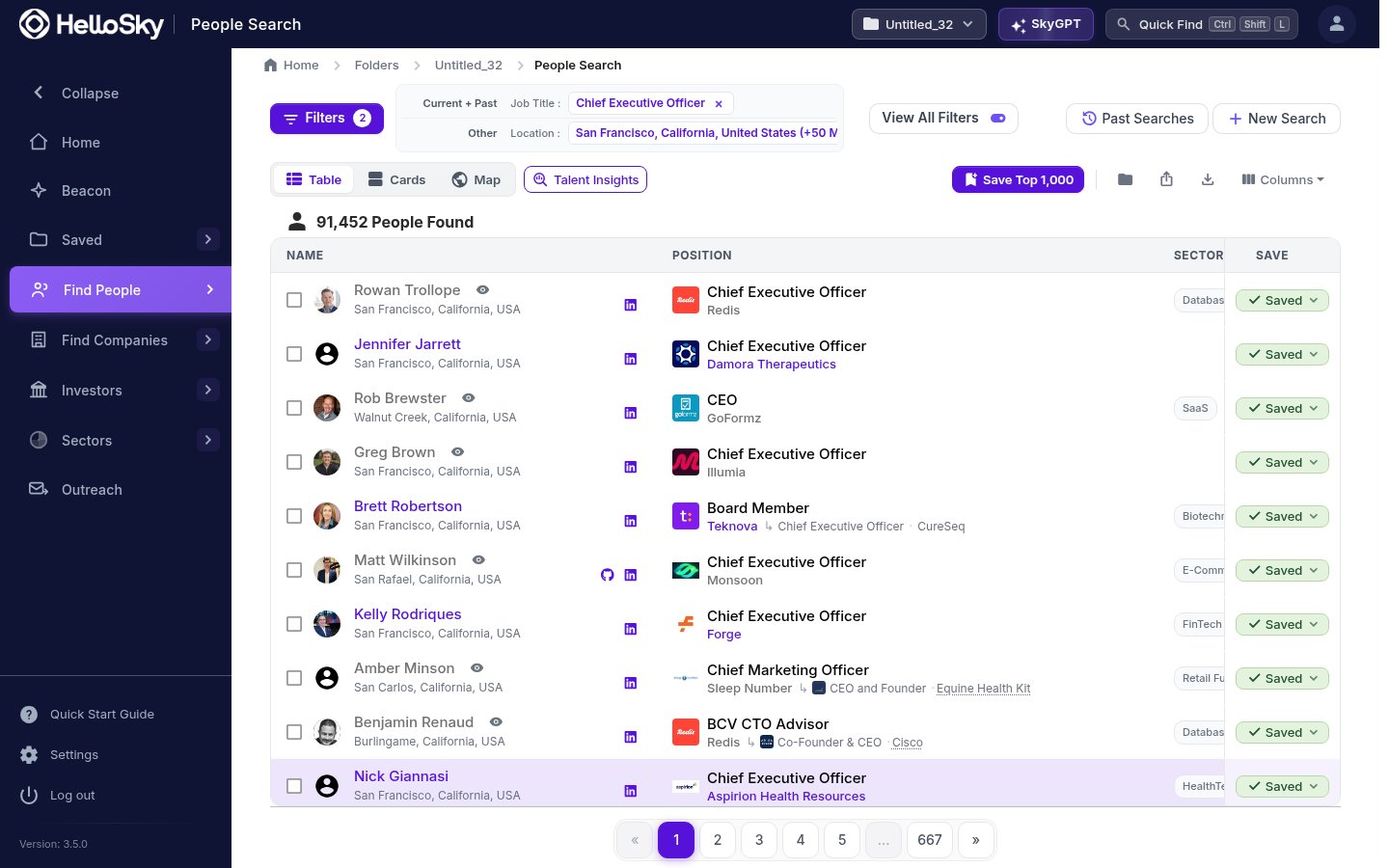 * Switch between **Table**, **Cards**, and **Map** views, or open **Talent Insights** for an aggregate view of the result set.
* Your active filters stay visible at the top. Click a chip to remove it, or **View All Filters** to edit everything at once.
* Click any name to open the full person profile.
* Use **Save Top 1,000** to save the best matches into your active folder, or select individual rows and save them to a people list.
* The **Columns** menu lets you add or hide table columns, and the export icon downloads your results.
Start broad and narrow one filter at a time. The live result count updates as you go, so you can see exactly which filter is cutting the list down.
Past searches are saved automatically. Click **Past Searches** on any results page to re-run or tweak an earlier search.
* Switch between **Table**, **Cards**, and **Map** views, or open **Talent Insights** for an aggregate view of the result set.
* Your active filters stay visible at the top. Click a chip to remove it, or **View All Filters** to edit everything at once.
* Click any name to open the full person profile.
* Use **Save Top 1,000** to save the best matches into your active folder, or select individual rows and save them to a people list.
* The **Columns** menu lets you add or hide table columns, and the export icon downloads your results.
Start broad and narrow one filter at a time. The live result count updates as you go, so you can see exactly which filter is cutting the list down.
Past searches are saved automatically. Click **Past Searches** on any results page to re-run or tweak an earlier search.