> ## Documentation Index
> Fetch the complete documentation index at: https://docs.hellosky.ai/llms.txt
> Use this file to discover all available pages before exploring further.
# Sending email
> Connect your mailbox and email people directly from HelloSky.
HelloSky can send email on your behalf through your own mailbox, so messages come from your real address, land in your normal Sent folder, and replies arrive in your inbox as usual.
Outreach is rolling out gradually. If you don't see the options described here, contact [support](/account/support) to have it enabled for your team.
## Connect your mailbox
1. Go to **Settings**. When email is enabled for your account, **Email accounts** is the first section.
2. Click **Connect**, choose **Google** or **Microsoft**, and sign in to the mailbox you send from.
3. Approve the requested permissions. You'll be returned to HelloSky with your address shown as connected.
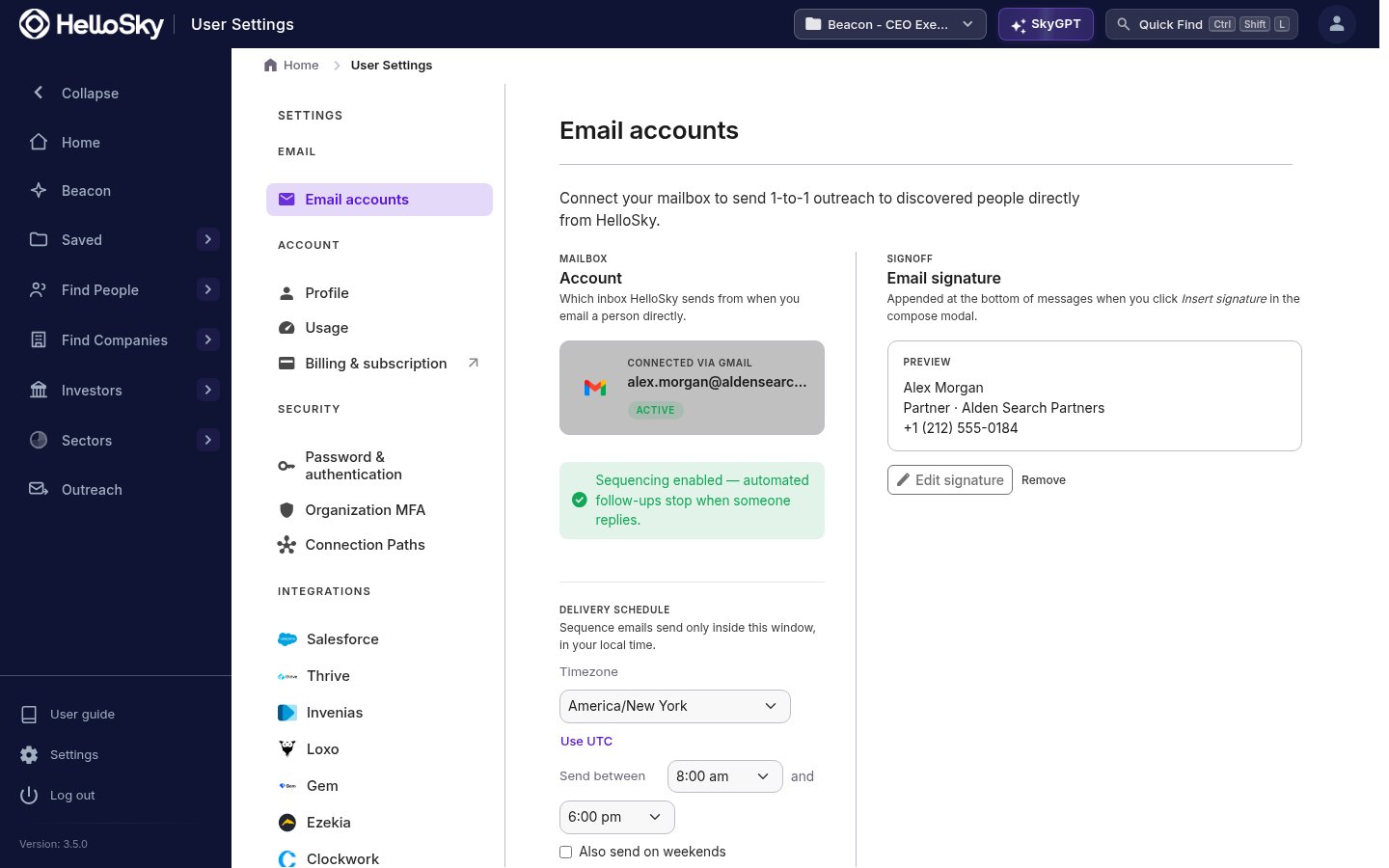 The same section holds your **email signature** (appended when you click *Insert signature* in the composer) and your **delivery schedule** (see [Guardrails & approvals](/outreach/guardrails-and-approvals)).
You can disconnect at any time from the same page. Disconnecting stops sending from that mailbox; anyone you had enrolled in sequences is paused rather than dropped.
## Send an email from a profile
On a person's profile, click **Email** in the action bar at the top of the page. This opens the composer:
The same section holds your **email signature** (appended when you click *Insert signature* in the composer) and your **delivery schedule** (see [Guardrails & approvals](/outreach/guardrails-and-approvals)).
You can disconnect at any time from the same page. Disconnecting stops sending from that mailbox; anyone you had enrolled in sequences is paused rather than dropped.
## Send an email from a profile
On a person's profile, click **Email** in the action bar at the top of the page. This opens the composer:
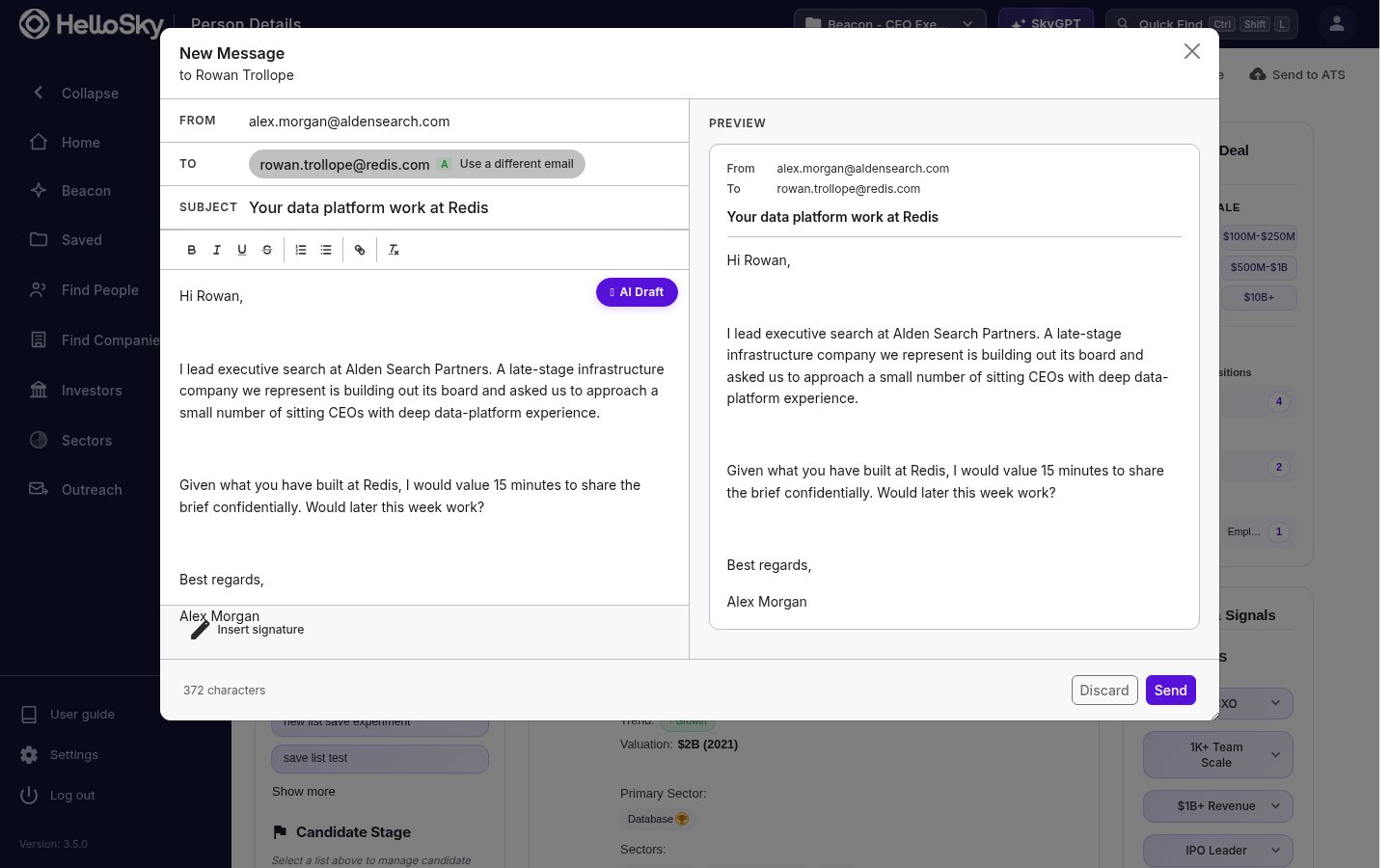 * The **To** address is pre-filled with the best-graded email we have on file for that person, with the grade shown next to it. You can switch with **Use a different email**, and if we have nothing on file you can run a lookup or type an address manually.
* Write the subject and body yourself in the rich-text editor, or click the **AI Draft** pill: describe what the email should say, pick a tone (Concise, Elaborate, Formal, or Friendly), and edit the generated draft before sending.
* The **Preview** panel shows exactly what the recipient will receive as you write.
If you haven't connected a mailbox yet, the Email button prompts you to connect one first.
## See what you've sent
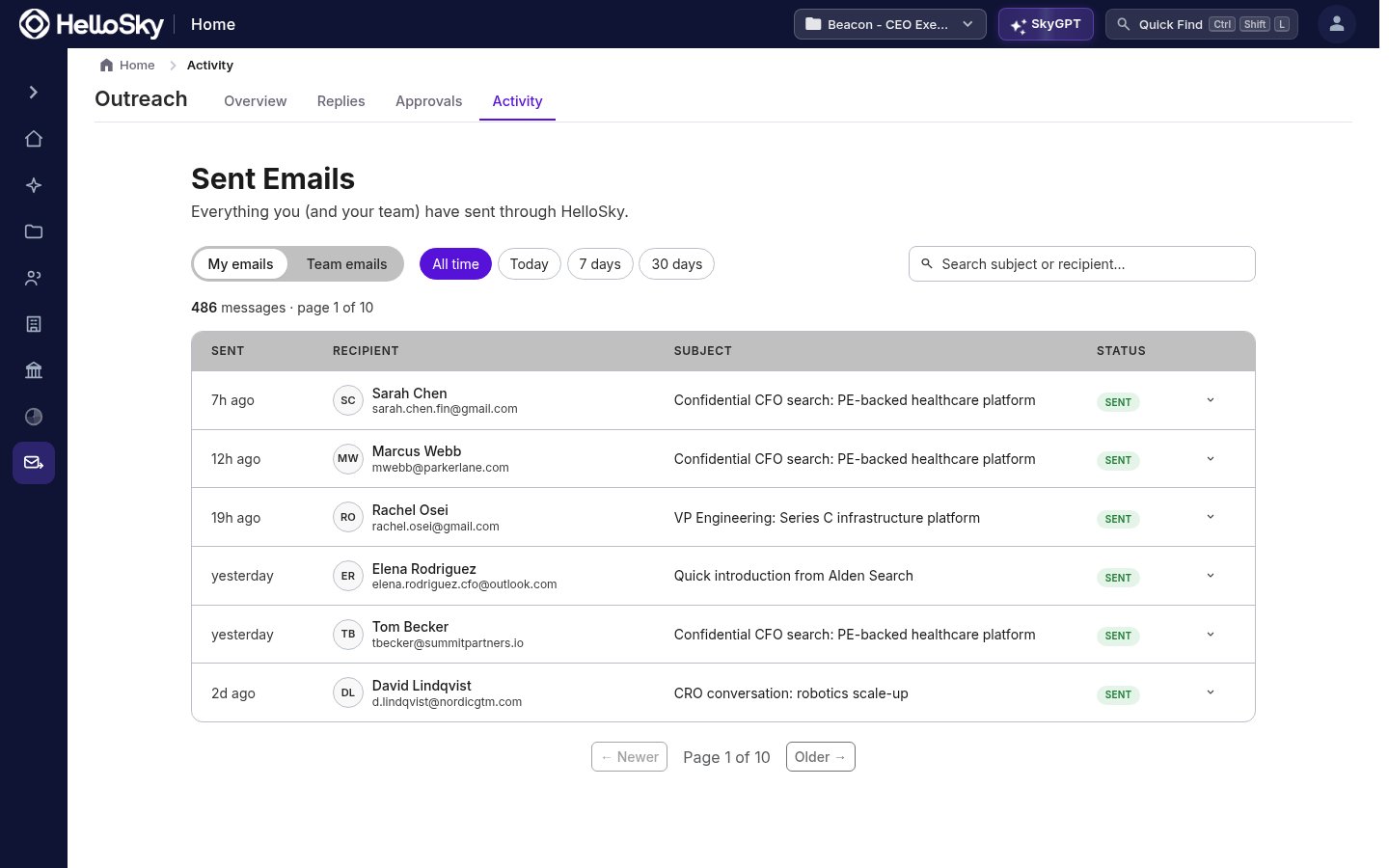
**Outreach → Activity** lists every email sent through HelloSky, one-off and sequence sends alike, with a status per message. Toggle between **My emails** and **Team emails**, and filter by time range or search by subject and recipient.
* The **To** address is pre-filled with the best-graded email we have on file for that person, with the grade shown next to it. You can switch with **Use a different email**, and if we have nothing on file you can run a lookup or type an address manually.
* Write the subject and body yourself in the rich-text editor, or click the **AI Draft** pill: describe what the email should say, pick a tone (Concise, Elaborate, Formal, or Friendly), and edit the generated draft before sending.
* The **Preview** panel shows exactly what the recipient will receive as you write.
If you haven't connected a mailbox yet, the Email button prompts you to connect one first.
## See what you've sent
**Outreach → Activity** lists every email sent through HelloSky, one-off and sequence sends alike, with a status per message. Toggle between **My emails** and **Team emails**, and filter by time range or search by subject and recipient.