> ## Documentation Index
> Fetch the complete documentation index at: https://docs.hellosky.ai/llms.txt
> Use this file to discover all available pages before exploring further.
# Sharing lists
> Share your lists with teammates and clients.
Any list can be shared by link or by email.
## Share a list
1. Open the list and click **Actions**, then **Share List**.
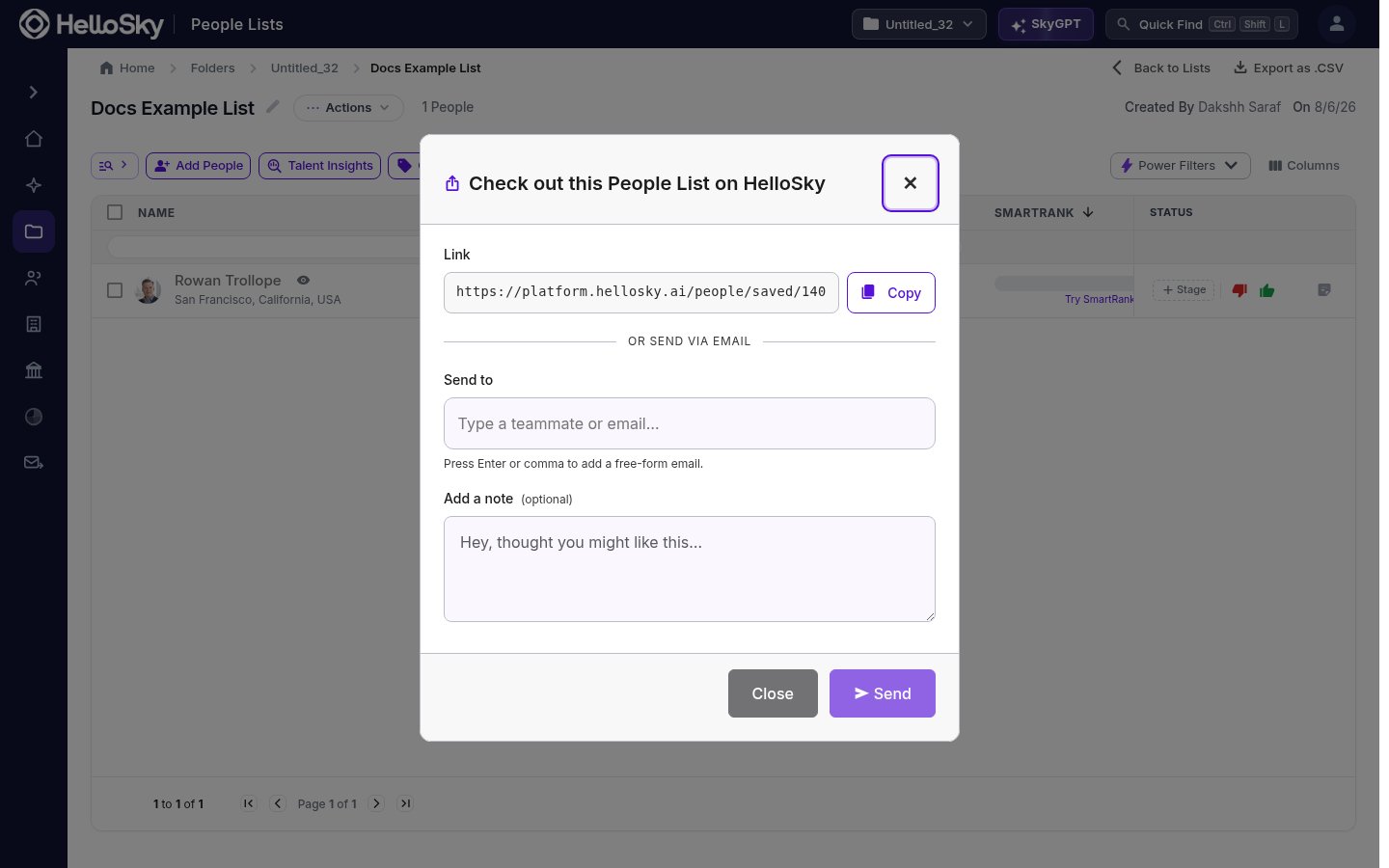 2. Either:
* **Copy** the link and paste it wherever you collaborate, or
* Under **Send to**, type a teammate's name or any email address (press Enter or comma to add several), optionally add a note, and click **Send**.
## Org-wide lists
Instead of sharing person by person, you can make a list visible to your whole organization. Org-wide lists show up for teammates in the save panel (check **Show org-wide lists**) and in their Saved section, so everyone can add to the same pipeline.
Sharing gives teammates access to view and work the list; only the list's creator can delete it.
Double-check the address before sending to an external email. If a recipient reports nothing arrived, verify the spelling and re-send, or copy the link and send it from your own email client.
2. Either:
* **Copy** the link and paste it wherever you collaborate, or
* Under **Send to**, type a teammate's name or any email address (press Enter or comma to add several), optionally add a note, and click **Send**.
## Org-wide lists
Instead of sharing person by person, you can make a list visible to your whole organization. Org-wide lists show up for teammates in the save panel (check **Show org-wide lists**) and in their Saved section, so everyone can add to the same pipeline.
Sharing gives teammates access to view and work the list; only the list's creator can delete it.
Double-check the address before sending to an external email. If a recipient reports nothing arrived, verify the spelling and re-send, or copy the link and send it from your own email client.