> ## Documentation Index
> Fetch the complete documentation index at: https://docs.hellosky.ai/llms.txt
> Use this file to discover all available pages before exploring further.
# Quickstart
> Run your first search and build a list in ten minutes.
This walkthrough takes you from logging in to a saved, shareable list of executives.
## 1. Sign in
Go to [platform.hellosky.ai](https://platform.hellosky.ai) and sign in with your email and password, or with Google or Microsoft.
 ## 2. Start a search
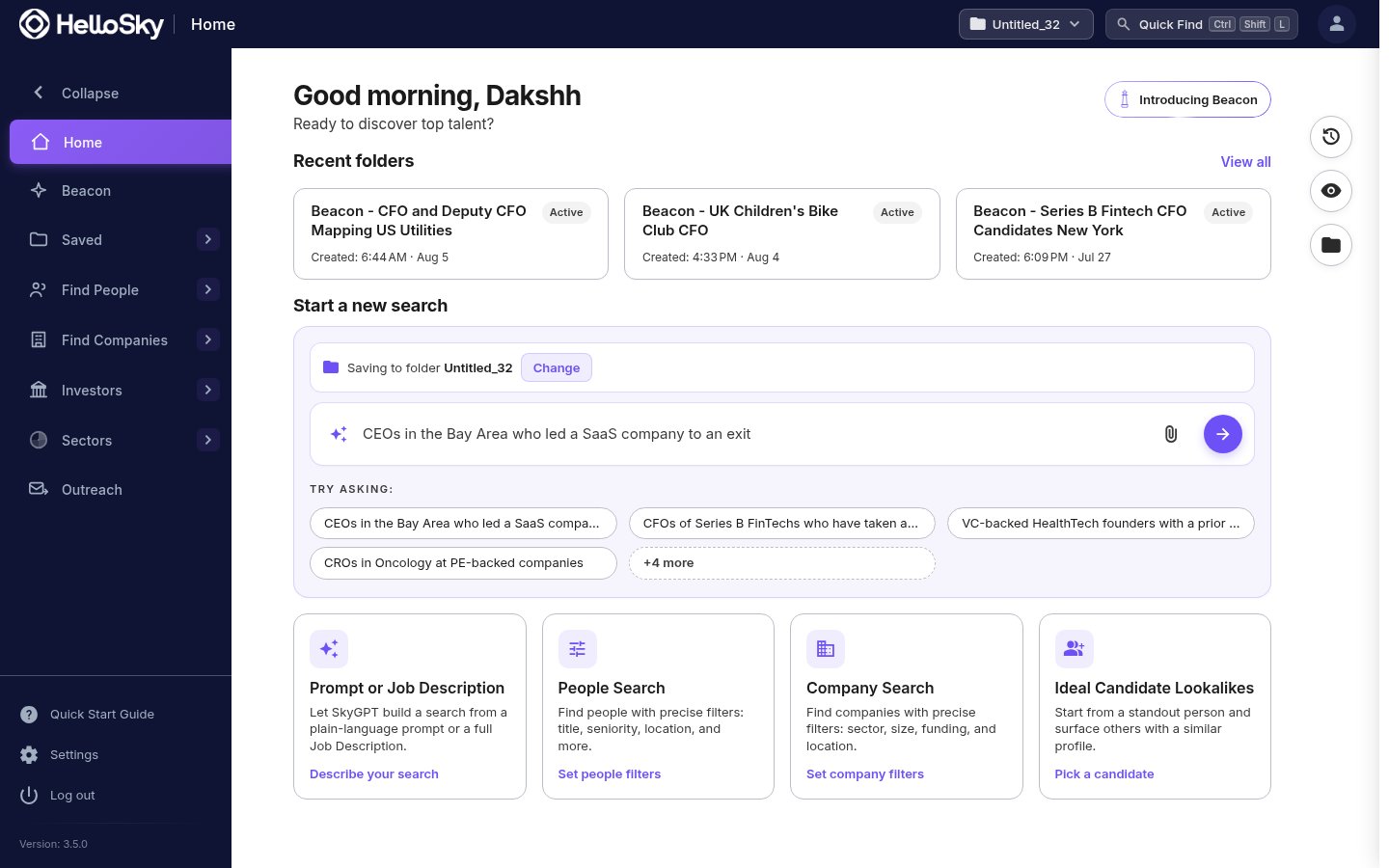
The Home page offers four ways in. For your first search, pick either:
* **Prompt or Job Description**: type who you need in plain language ("CFOs of Series B FinTechs who have taken a company public") and let SkyGPT build the search, or
* **People Search**: build it yourself with filters.
## 2. Start a search
The Home page offers four ways in. For your first search, pick either:
* **Prompt or Job Description**: type who you need in plain language ("CFOs of Series B FinTechs who have taken a company public") and let SkyGPT build the search, or
* **People Search**: build it yourself with filters.
 ## 3. Add filters and run it
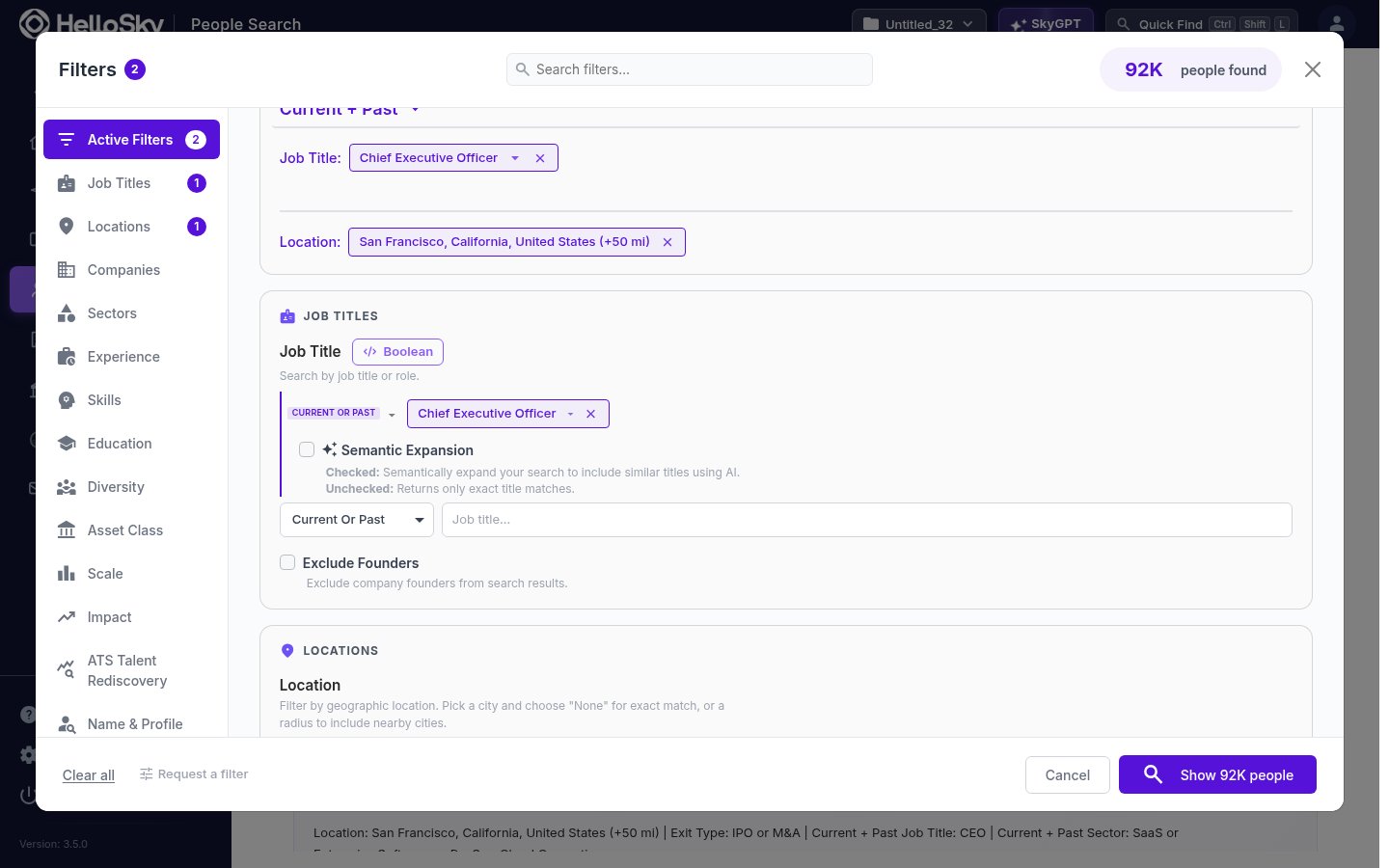
Add a job title and a location; the search button shows a live count of matching people as you go. Click it to see results.
## 3. Add filters and run it
Add a job title and a location; the search button shows a live count of matching people as you go. Click it to see results.
 ## 4. Review results
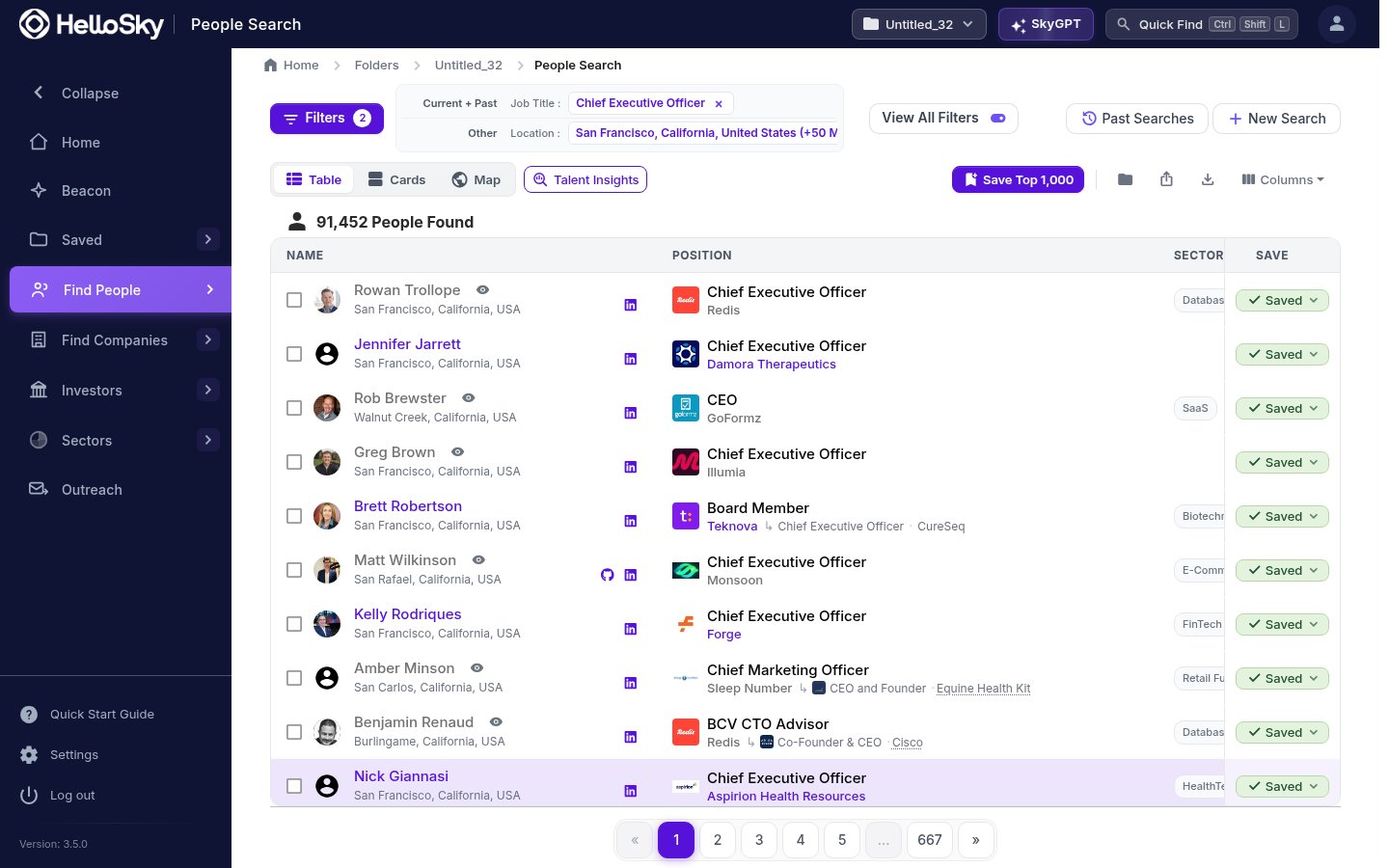
Results open in a table with each person's current role, company, and sector. Click any name to open their full profile: career history, contact details, and deal signals.
## 4. Review results
Results open in a table with each person's current role, company, and sector. Click any name to open their full profile: career history, contact details, and deal signals.
 ## 5. Save the best to a list
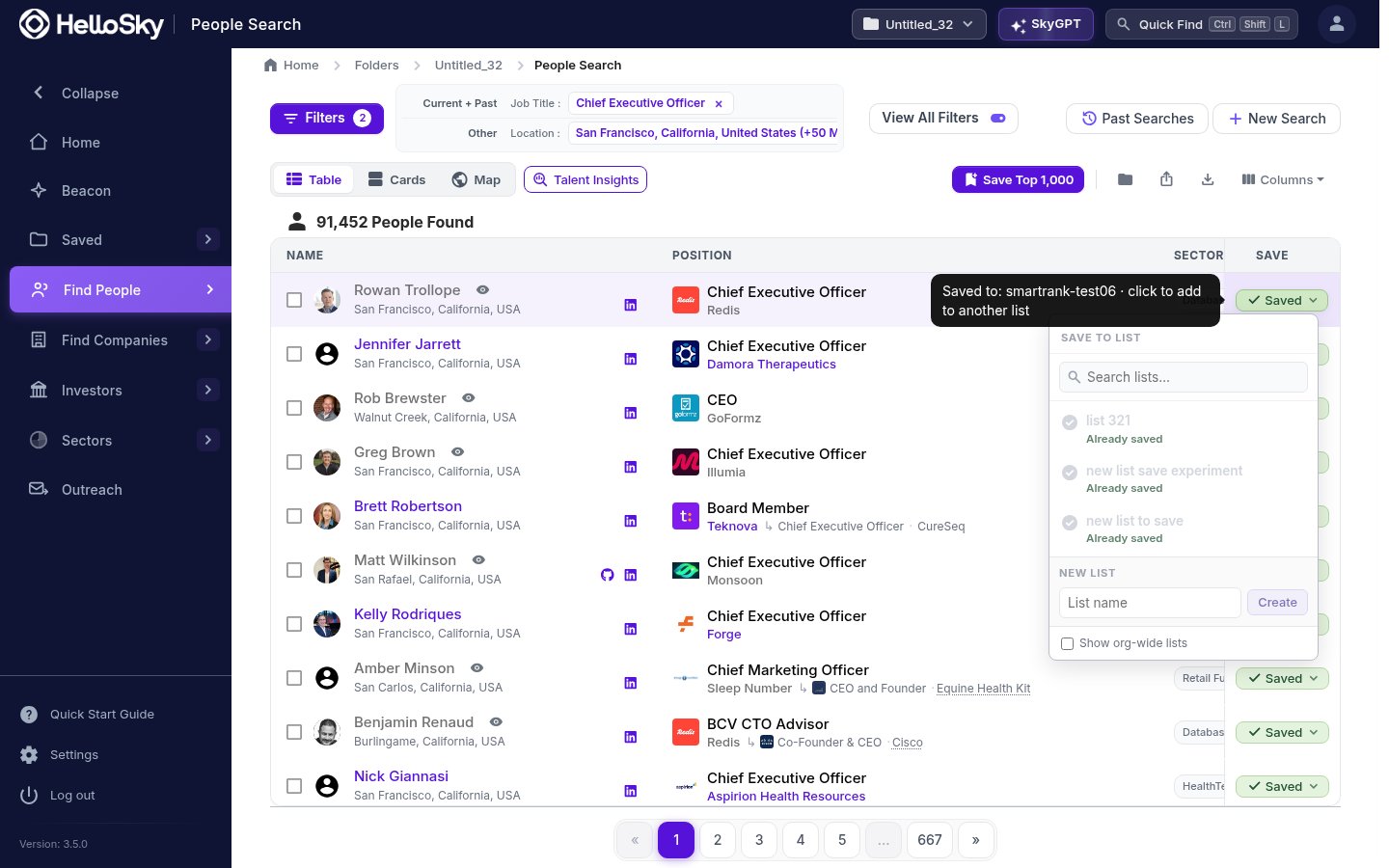
Click **Save** on a promising row, type a name under **New list**, and click **Create**. Keep saving into that list as you review.
## 5. Save the best to a list
Click **Save** on a promising row, type a name under **New list**, and click **Create**. Keep saving into that list as you review.
 ## 6. Share it
Open your list from **Saved**, then **People Lists**, click **Actions**, then **Share List**, and send it to a colleague or copy the link.
## Where to go next
* Let [Beacon](/beacon/what-is-beacon) run the whole search for you: brief it like a researcher, get a ranked shortlist.
* Learn the full [People Search](/search/people-search) filter set.
* Set up [candidate stages and SmartRank](/lists/managing-lists) on your new list.
## 6. Share it
Open your list from **Saved**, then **People Lists**, click **Actions**, then **Share List**, and send it to a colleague or copy the link.
## Where to go next
* Let [Beacon](/beacon/what-is-beacon) run the whole search for you: brief it like a researcher, get a ranked shortlist.
* Learn the full [People Search](/search/people-search) filter set.
* Set up [candidate stages and SmartRank](/lists/managing-lists) on your new list.