> ## Documentation Index
> Fetch the complete documentation index at: https://docs.hellosky.ai/llms.txt
> Use this file to discover all available pages before exploring further.
# Managing your team & account
> Profile, report branding, email accounts, security, and integrations.
Everything account-related lives under **Settings**, at the bottom of the left navigation.
 ## Profile and report branding
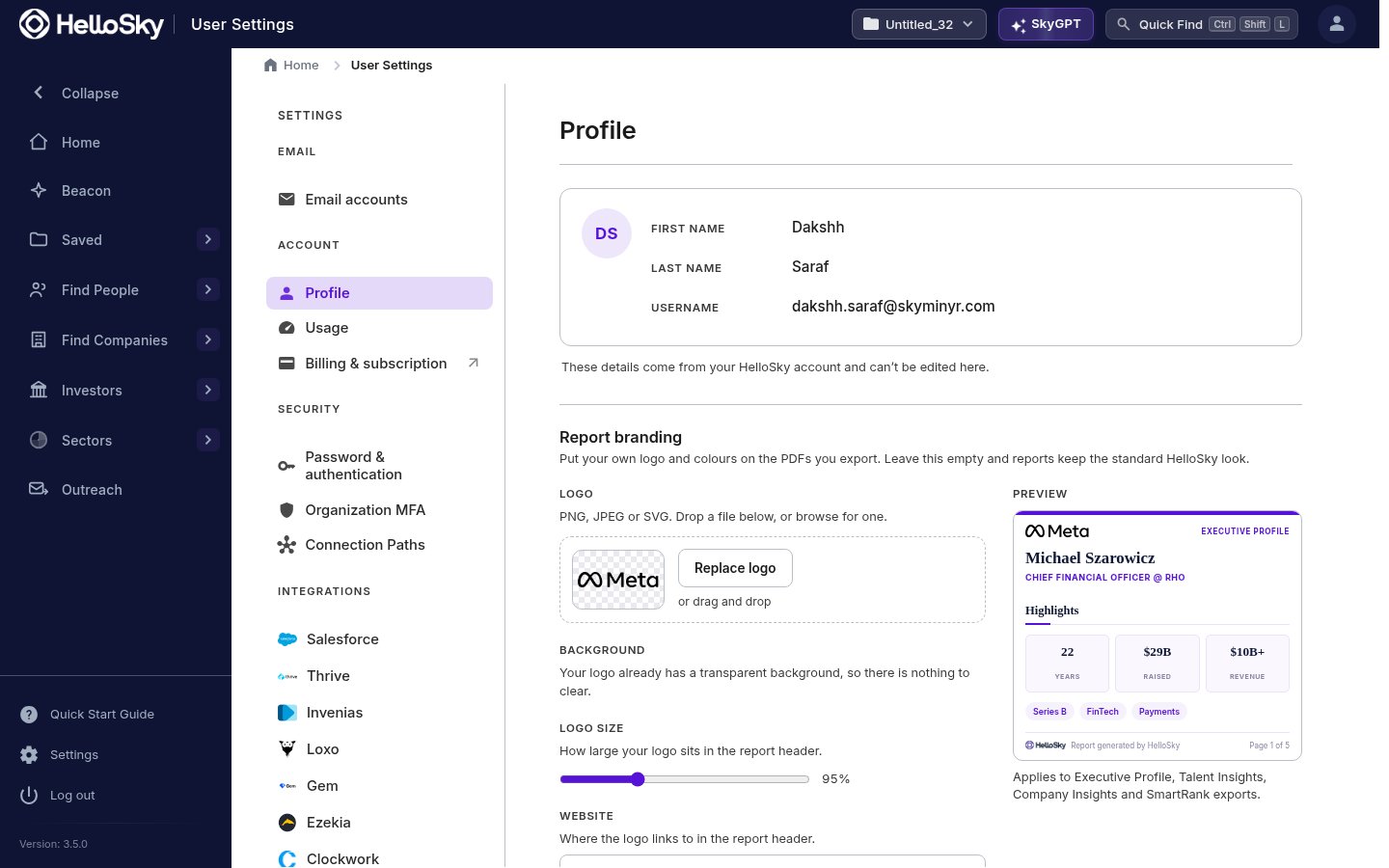
**Profile** shows the name and username on your HelloSky account. **Report branding** puts your firm's logo and colors on the PDFs you export: Executive Profiles, Talent Insights, Company Insights, and SmartRank exports all pick up your branding, with a live preview as you adjust the logo, size, colors, and the website it links to. Leave it empty and reports keep the standard HelloSky look.
## Email accounts
**Email accounts** connects the mailboxes you send from, so outreach goes out as you.
## Security
* **Password & authentication**: change your password and set up multi-factor authentication.
* **Organization MFA**: admins can require MFA for everyone in the organization.
## Integrations
**Connection Paths** and the **Integrations** section connect HelloSky to the systems your team already runs, including Salesforce, Thrive, Invenias, Loxo, Gem, Ezekia, and Clockwork, so profiles and lists flow into your ATS or CRM. The **Send to ATS** action on person profiles uses the connection you set up here.
## Working as a team
* **Org-wide lists** let the whole team build and work shared pipelines; see [Sharing lists](/lists/sharing-lists).
* Lists and folders record who created what, so parallel searches stay attributable.
Seats are managed by HelloSky rather than self-serve. To add teammates to your organization, contact your account manager or [info@hellosky.ai](mailto:info@hellosky.ai).
## Profile and report branding
**Profile** shows the name and username on your HelloSky account. **Report branding** puts your firm's logo and colors on the PDFs you export: Executive Profiles, Talent Insights, Company Insights, and SmartRank exports all pick up your branding, with a live preview as you adjust the logo, size, colors, and the website it links to. Leave it empty and reports keep the standard HelloSky look.
## Email accounts
**Email accounts** connects the mailboxes you send from, so outreach goes out as you.
## Security
* **Password & authentication**: change your password and set up multi-factor authentication.
* **Organization MFA**: admins can require MFA for everyone in the organization.
## Integrations
**Connection Paths** and the **Integrations** section connect HelloSky to the systems your team already runs, including Salesforce, Thrive, Invenias, Loxo, Gem, Ezekia, and Clockwork, so profiles and lists flow into your ATS or CRM. The **Send to ATS** action on person profiles uses the connection you set up here.
## Working as a team
* **Org-wide lists** let the whole team build and work shared pipelines; see [Sharing lists](/lists/sharing-lists).
* Lists and folders record who created what, so parallel searches stay attributable.
Seats are managed by HelloSky rather than self-serve. To add teammates to your organization, contact your account manager or [info@hellosky.ai](mailto:info@hellosky.ai).